A Voter ID card is an important identity proof in India. It is used not only for voting but also for many official and verification purposes.
If your name on the Voter ID is incorrect or has changed due to marriage, spelling mistakes, or legal reasons, it is important to update it. Even a small error can create problems during elections or document verification.
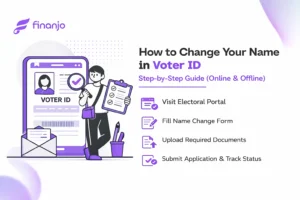
The name change process is simple and can be done either online or offline. In this guide, we explain the steps clearly so you can update your Voter ID without any confusion.
Sometimes, the name on the Voter ID is misspelled or has small typing mistakes. Even if it looks minor, it can cause confusion during voting or when the card is used as an identity proof. Fixing it early saves a lot of trouble later.
After marriage, many people choose to change or add their spouse’s surname. To keep your records correct and consistent, it makes sense to update the same name on your Voter ID as well.
Legal name change
People may legally change their name for personal, professional, or other reasons. Once the name is officially changed, updating it on the Voter ID helps ensure that your identity documents reflect who you are today.
If your Voter ID name does not match your Aadhaar, PAN, or passport, it can create problems during verification. Updating the Voter ID helps keep all your documents aligned and avoids unnecessary questions.
In some cases, initials are missing, added incorrectly, or the order of the name is wrong. These small details matter, especially in official records, so correcting them makes your Voter ID accurate and reliable.
You can apply for a name change in your Voter ID card if you meet the following conditions:
Your name must already be registered as a voter. Only existing voters can request a correction or update in their details.
Your name should appear in the official electoral roll of your constituency. If your details are missing, you may need to register first before requesting any changes.
You must provide proper documents as proof for the name change. This can include Aadhaar, PAN, marriage certificate, gazette notification, or any other legally accepted document.
Meeting these conditions makes the name change process smooth and hassle free.
If you want to change or correct your name on your Voter ID card, you’ll need to provide some valid documents. These help the election authorities verify your request and make sure the updated name is accurate. Submitting clear and correct documents can make the process smoother and faster.
You need to submit at least one government-issued identity proof that shows your correct and full name. Any of the following documents are accepted:
Aadhaar Card – This is the most commonly used proof. Make sure the name on your Aadhaar matches exactly with the name you want on your Voter ID.
Passport – Useful if your name is already updated on your passport, especially for legal name changes.
PAN Card – Can be used if your name is correct and spelled properly.
Driving License – Valid if it shows your full and correct name.
In some cases, you might need additional documents to support your name change:
Marriage Certificate – Needed if you are changing your surname after marriage.
Gazette Notification – Required for legal name changes. This is an official government document confirming your new name.
Affidavit for Name Change – A notarized affidavit stating your old and new name can also be submitted.
Before submitting your application, double-check that your document clearly shows your full name and has no spelling mistakes or missing initials. Any unclear or mismatched documents can delay the process or even lead to rejection.
If you want to update your name on your Voter ID without visiting the election office, you can do it online through the National Voters’ Service Portal (NVSP). The process is simple and can be done from the comfort of your home.
Step-by-Step Process (Online)
Once submitted, your application will be verified by the election authorities. After verification, your Voter ID will be updated with the correct name.
If you prefer doing things in person, you can update your Voter ID name by visiting your local election office. The offline process is straightforward and doesn’t take much time.
Step-by-Step Process (Offline)
Once submitted, the election office will verify your documents, and your Voter ID will be updated with the correct name.
Form Used – To update or correct your name, you need to fill Form 8. This form is used for correcting personal details like name, age, address, or photo in the electoral roll.
Fee – The name change process is completely free. Whether you apply online or offline, there is no charge for updating your Voter ID.
Processing Time – Usually, it takes about 2 to 4 weeks for the name change to be processed. The duration may vary depending on verification and your location.
Once you’ve submitted your application, it’s easy to see where it stands.
That’s it! You’ll be able to see if your request is being processed, verified, or completed. It’s a simple way to stay updated without having to call or visit the office.
This way, you’ll have both a digital copy for immediate use and a physical card for official purposes.
Yes! If you want to update your surname after marriage, you can do so by submitting your marriage certificate or any updated ID proof showing your new name.
Not always. You only need a Gazette notification if it’s a legal name change. For simple spelling corrections, it’s not required.
It’s always better to have your EPIC (Voter ID) number handy, but even if you don’t, you can still apply using your personal details like name, address, and date of birth.
Nope. Your EPIC number stays the same even after your name is corrected.
Yes, you can. But only one request is processed at a time, so you’ll need to wait for the current update to be completed before submitting another.
Typically, it takes 2 to 4 weeks, but the time may vary depending on verification and your location.
No, the process is completely free whether you apply online or offline.
Yes! You can track it on the NVSP website using the reference number you received when submitting the form.
You’ll get a digital Voter ID (e-EPIC) immediately after approval, and if applicable, a physical card will be sent to your address by post.
Even small spelling errors can delay the process. Make sure your supporting documents are clear and correctly spelled to avoid rejection.
Yes! Using Form 8, you can also correct your age, address, or photo along with your name if needed.
A Voter ID card is an important identity proof in India. It is used not only for voting but also for many official and verification purposes.
If your name on the Voter ID is incorrect or has changed due to marriage, spelling mistakes, or legal reasons, it is important to update it. Even a small error can create problems during elections or document verification.
The name change process is simple and can be done either online or offline. In this guide, we explain the steps clearly so you can update your Voter ID without any confusion.
Sometimes, the name on the Voter ID is misspelled or has small typing mistakes. Even if it looks minor, it can cause confusion during voting or when the card is used as an identity proof. Fixing it early saves a lot of trouble later.
After marriage, many people choose to change or add their spouse’s surname. To keep your records correct and consistent, it makes sense to update the same name on your Voter ID as well.
Legal name change
People may legally change their name for personal, professional, or other reasons. Once the name is officially changed, updating it on the Voter ID helps ensure that your identity documents reflect who you are today.
If your Voter ID name does not match your Aadhaar, PAN, or passport, it can create problems during verification. Updating the Voter ID helps keep all your documents aligned and avoids unnecessary questions.
In some cases, initials are missing, added incorrectly, or the order of the name is wrong. These small details matter, especially in official records, so correcting them makes your Voter ID accurate and reliable.
You can apply for a name change in your Voter ID card if you meet the following conditions:
Your name must already be registered as a voter. Only existing voters can request a correction or update in their details.
Your name should appear in the official electoral roll of your constituency. If your details are missing, you may need to register first before requesting any changes.
You must provide proper documents as proof for the name change. This can include Aadhaar, PAN, marriage certificate, gazette notification, or any other legally accepted document.
Meeting these conditions makes the name change process smooth and hassle free.
If you want to change or correct your name on your Voter ID card, you’ll need to provide some valid documents. These help the election authorities verify your request and make sure the updated name is accurate. Submitting clear and correct documents can make the process smoother and faster.
You need to submit at least one government-issued identity proof that shows your correct and full name. Any of the following documents are accepted:
Aadhaar Card – This is the most commonly used proof. Make sure the name on your Aadhaar matches exactly with the name you want on your Voter ID.
Passport – Useful if your name is already updated on your passport, especially for legal name changes.
PAN Card – Can be used if your name is correct and spelled properly.
Driving License – Valid if it shows your full and correct name.
In some cases, you might need additional documents to support your name change:
Marriage Certificate – Needed if you are changing your surname after marriage.
Gazette Notification – Required for legal name changes. This is an official government document confirming your new name.
Affidavit for Name Change – A notarized affidavit stating your old and new name can also be submitted.
Before submitting your application, double-check that your document clearly shows your full name and has no spelling mistakes or missing initials. Any unclear or mismatched documents can delay the process or even lead to rejection.
If you want to update your name on your Voter ID without visiting the election office, you can do it online through the National Voters’ Service Portal (NVSP). The process is simple and can be done from the comfort of your home.
Step-by-Step Process (Online)
Once submitted, your application will be verified by the election authorities. After verification, your Voter ID will be updated with the correct name.
If you prefer doing things in person, you can update your Voter ID name by visiting your local election office. The offline process is straightforward and doesn’t take much time.
Step-by-Step Process (Offline)
Once submitted, the election office will verify your documents, and your Voter ID will be updated with the correct name.
Form Used – To update or correct your name, you need to fill Form 8. This form is used for correcting personal details like name, age, address, or photo in the electoral roll.
Fee – The name change process is completely free. Whether you apply online or offline, there is no charge for updating your Voter ID.
Processing Time – Usually, it takes about 2 to 4 weeks for the name change to be processed. The duration may vary depending on verification and your location.
Once you’ve submitted your application, it’s easy to see where it stands.
That’s it! You’ll be able to see if your request is being processed, verified, or completed. It’s a simple way to stay updated without having to call or visit the office.
This way, you’ll have both a digital copy for immediate use and a physical card for official purposes.
Yes! If you want to update your surname after marriage, you can do so by submitting your marriage certificate or any updated ID proof showing your new name.
Not always. You only need a Gazette notification if it’s a legal name change. For simple spelling corrections, it’s not required.
It’s always better to have your EPIC (Voter ID) number handy, but even if you don’t, you can still apply using your personal details like name, address, and date of birth.
Nope. Your EPIC number stays the same even after your name is corrected.
Yes, you can. But only one request is processed at a time, so you’ll need to wait for the current update to be completed before submitting another.
Typically, it takes 2 to 4 weeks, but the time may vary depending on verification and your location.
No, the process is completely free whether you apply online or offline.
Yes! You can track it on the NVSP website using the reference number you received when submitting the form.
You’ll get a digital Voter ID (e-EPIC) immediately after approval, and if applicable, a physical card will be sent to your address by post.
Even small spelling errors can delay the process. Make sure your supporting documents are clear and correctly spelled to avoid rejection.
Yes! Using Form 8, you can also correct your age, address, or photo along with your name if needed.
A contributor to the Finanjo blog, where I share insightful and easy-to-understand content focused on educating readers about finance. With a clear and approachable writing style, I simplify complex topics to make them more understandable.
A contributor to the Finanjo blog, where I share insightful and easy-to-understand content focused on educating readers about finance. With a clear and approachable writing style, I simplify complex topics to make them more understandable.

