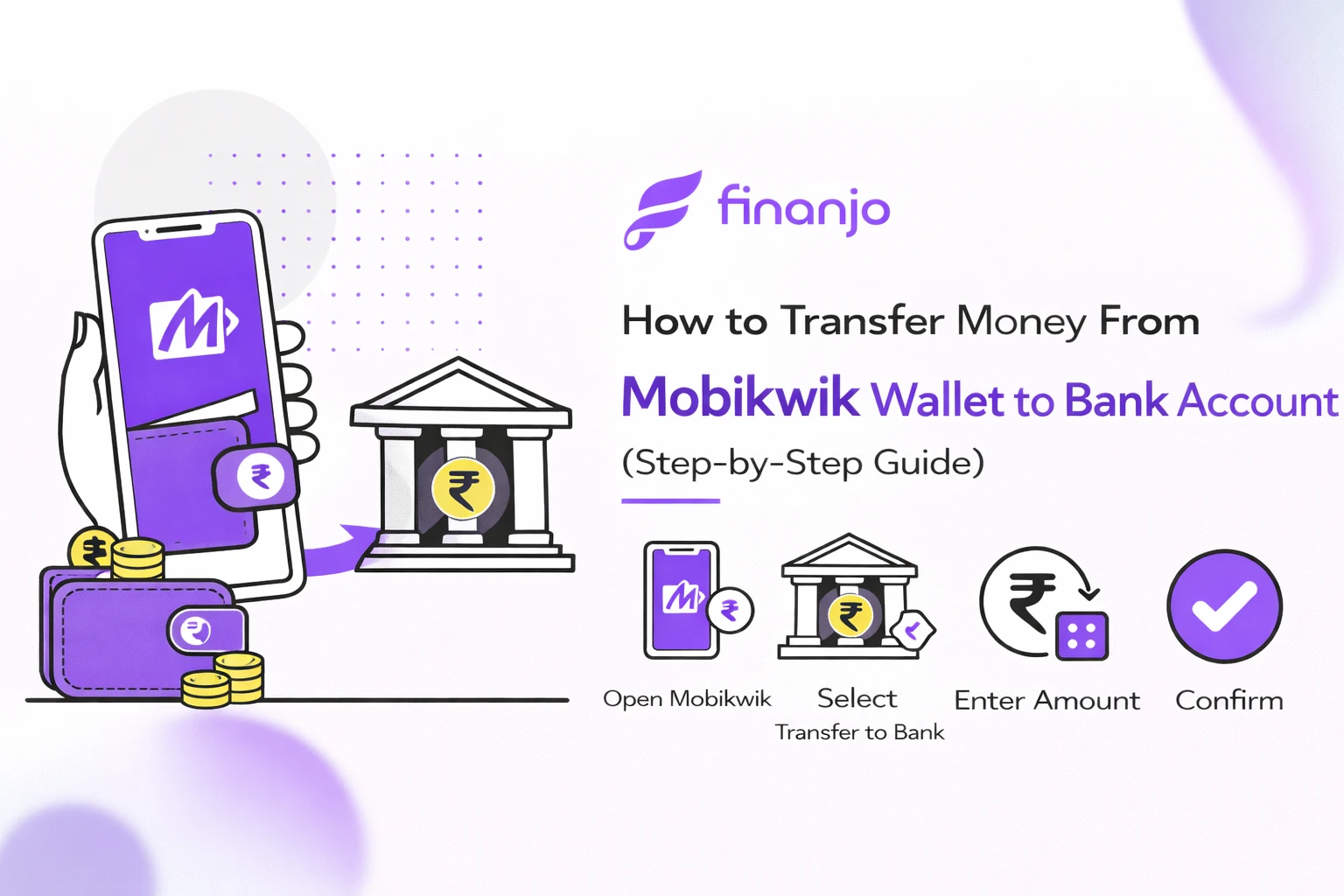
How to Transfer Money From Mobikwik Wallet to Bank Account is a simple process that allows users to withdraw their wallet balance directly into their linked bank account. Many Mobikwik users store money in their wallet through refunds, cashback, or wallet loads and later need to move it to their bank. Digital wallets have become integral to everyday financial transactions in India and out of which MobiKwik is the leader. From paying bills to recharging phones and online shopping, it provides convenience and speed. But at some point many users want to shift wallet balance to their bank accounts for savings, investment or for making offline purchases.
This blog will help you complete your Mobikwik wallet to bank transfer safely and without confusion.
Mobikwik Wallet is a digital wallet that allows users to store money online and use it for everyday payments such as mobile recharges, bill payments, online shopping, UPI transactions, and QR-based merchant payments. You can add money to the wallet using a debit card, credit card, UPI, or net banking and spend it instantly without accessing your bank account each time.
| Basis | Mobikwik Wallet Balance | Bank Account Balance |
|---|---|---|
| Nature | Prepaid digital wallet balance | Regular savings/current account money |
| Where money is stored | Inside the Mobikwik app | In your bank account |
| Usage | Payments, recharges, bills, merchant transactions | Withdrawals, transfers, EMIs, investments |
| Interest earned | No interest | Interest earned (for savings account) |
| Cash withdrawal | Not directly possible | Possible via ATM or bank branch |
| Transfer flexibility | Limited, KYC required | Fully transferable |
| Regulatory control | RBI-regulated prepaid wallet | RBI-regulated bank account |
Wallet balance is more convenient for daily payments, while bank balance offers greater flexibility and wider usage.
A Mobikwik wallet to bank transfer is required when:
In such cases, transferring money from Mobikwik Wallet to your bank account helps convert digital wallet funds into usable bank cash.
Yes, Mobikwik allows users to transfer money from their wallet to a linked bank account, but this facility is available only under specific conditions set by the platform and RBI guidelines.
Bank transfer from Mobikwik wallet is allowed for eligible users through the “Withdraw to Bank” option in the app. However, this feature may not be visible to all users by default. The availability of wallet-to-bank transfer depends on factors such as KYC status, wallet balance type, and account verification.
Wallet balance received through refunds, cashback, or wallet top-ups can usually be withdrawn once eligibility conditions are met.
Completing Full KYC is mandatory to transfer money from Mobikwik wallet to a bank account. As per RBI regulations for prepaid wallets:
Users without KYC cannot withdraw wallet balance to a bank
Partial or minimum KYC users have restricted wallet usage
Full KYC unlocks wallet withdrawal, higher limits, and bank transfers
Without completing KYC, the wallet balance can only be used for payments and not for cash withdrawal or bank transfer.
You are eligible to withdraw money from Mobikwik wallet to your bank account if:
Your Mobikwik account has completed full KYC
A bank account is linked and verified in the app
You have withdrawable wallet balance
Your account is active and not restricted or suspended
The withdrawal amount is within the allowed transfer limits
If any of these conditions are not met, the bank transfer option may not appear or the transaction may fail.
To successfully transfer money from your Mobikwik wallet to a bank account, you must meet certain eligibility conditions set by Mobikwik and RBI regulations. Fulfilling these requirements ensures a smooth and successful wallet-to-bank transfer.
Completing full KYC (Know Your Customer) is the most important requirement for Mobikwik wallet to bank transfer. As per RBI guidelines for prepaid wallets, only fully KYC-verified users are allowed to withdraw wallet balance to a bank account.
With completed KYC:
Without KYC, your wallet balance can only be used for payments and cannot be transferred to a bank account.
You must have a bank account linked and verified with your Mobikwik account. The linked bank account is where the wallet money will be transferred.
Important points to note:
If no bank account is linked, the withdrawal option will not work.
Mobikwik requires users to maintain a minimum withdrawable wallet balance to initiate a bank transfer. Transfers below the minimum limit are not allowed.
Key details:
Always check your available withdrawable balance before starting the transfer.
Your Mobikwik account must be active and in good standing to withdraw money to a bank account.
This means:
Inactive or restricted accounts may not see the bank transfer option or may face failed transactions.
Meeting all these requirements ensures that your Mobikwik wallet to bank transfer is processed smoothly without delays or errors.
| Step | Action | Details |
|---|---|---|
| Step 1 | Open the Mobikwik App | Log in using your registered mobile number and verify with OTP if prompted. |
| Step 2 | Go to Wallet / Balance Section | Check your available wallet balance eligible for bank transfer. |
| Step 3 | Select “Withdraw to Bank” | Tap on the “Withdraw to Bank” option available under wallet or balance section. |
| Step 4 | Enter Transfer Amount | Enter the amount within minimum and maximum transfer limits set by Mobikwik. |
| Step 5 | Choose Linked Bank Account | Select an existing linked bank account or add a new one by entering account details and IFSC. |
| Step 6 | Confirm Transfer with OTP / PIN | Verify the transaction using OTP or wallet PIN to complete the transfer. |
Before transferring money from your Mobikwik wallet to a bank account, it is important to understand the charges involved, as wallet withdrawals are not always free and may vary based on usage and wallet balance type.
Mobikwik wallet to bank transfer is generally chargeable. Unlike UPI transfers, wallet withdrawals involve processing fees because wallet balances are considered prepaid instruments under RBI rules. In some limited cases, promotional offers or specific wallet balances (such as certain refunds) may allow free withdrawal, but this is not guaranteed for all users.
You should always check the final payable amount on the confirmation screen before completing the transfer.
Mobikwik may deduct a service or convenience fee when you withdraw money from the wallet to your bank account. This fee:
Is calculated as a percentage of the transfer amount or a fixed charge
Is deducted directly from your wallet balance
May vary depending on transaction size or account category
Is shown clearly before you confirm the transfer
If your wallet balance is low, the transfer may fail if the balance is insufficient to cover both the withdrawal amount and the service fee.
In addition to the service fee, GST may be applicable as per Indian tax regulations. Key points to note:
GST is charged only on the service fee, not on the transfer amount
The applicable GST rate is added automatically
The total charge (service fee + GST) is displayed before final confirmation
This ensures transparency and helps users understand the exact cost of transferring money from the Mobikwik wallet to their bank account.
Always review the charges shown on the confirmation page before completing the transfer, as fees and GST rates may change from time to time based on Mobikwik’s policies and RBI guidelines.
Mobikwik has defined specific transfer limits for withdrawing money from the wallet to a bank account. These limits are set in line with RBI guidelines and may vary based on your KYC status and account usage. Understanding these limits helps avoid failed or declined transactions.
Mobikwik requires a minimum amount to be transferred from the wallet to a bank account in a single transaction.
Always ensure that your wallet balance is sufficient to cover both the transfer amount and applicable charges.
There is also a maximum limit per transaction for Mobikwik wallet to bank transfer.
This limit helps Mobikwik manage security and regulatory compliance.
Mobikwik applies daily and monthly caps on wallet to bank withdrawals.
These limits reset automatically after the specified period.
KYC status plays a major role in determining transfer limits.
Completing full KYC is essential if you want to withdraw your Mobikwik wallet balance to a bank account without restrictions.
Note: Transfer limits may change from time to time. Always check the latest limits in the Mobikwik app before initiating a transaction.
The time taken to transfer money from a Mobikwik wallet to a bank account can vary depending on the payment method, bank processing, and system checks. While many transfers are quick, some may take longer due to verification or technical reasons.
In some cases, Mobikwik wallet to bank transfers are processed instantly, especially when the transaction is completed successfully and the bank’s systems are functioning normally. However, not all transfers are instant.
Delayed transfers may occur due to:
Instant credit is more common during working hours, while delays are more likely during nights, weekends, or holidays.
Under normal conditions, Mobikwik wallet to bank transfers are usually credited within:
The expected processing time is usually shown in the app at the time of withdrawal.
If the transferred amount is not credited to your bank account within the expected time:
Do not attempt multiple withdrawals for the same amount until the status of the previous transaction is confirmed.
Always keep a screenshot or transaction reference number until the amount is successfully credited to your bank account.
While transferring money from Mobikwik wallet to a bank account is usually smooth, users may sometimes face issues due to KYC, account settings, or technical reasons. Below are the most common problems and their practical solutions.
Problem:
The “Withdraw to Bank” option is not visible in the Mobikwik app.
Solution:
If the option still does not appear, it may not be enabled for your account yet.
Problem:
You are unable to transfer money because KYC is incomplete.
Solution:
Without completed KYC, Mobikwik does not allow wallet-to-bank transfers as per RBI guidelines.
Problem:
Transfer fails or the bank selection option is missing.
Solution:
Transfers cannot be processed without a linked and verified bank account.
Problem:
The amount is deducted from the wallet but not credited to the bank.
Solution:
In most cases, failed transactions are automatically refunded to the wallet.
Problem:
The transfer shows “Pending” for a long time.
Solution:
Pending transactions are usually resolved automatically once bank processing is completed.
Always double-check your KYC status and bank details before initiating a transfer to avoid delays or failures.
Mobikwik Wallet and UPI balance are both used for digital payments, but they work very differently. Understanding these differences helps you decide when a wallet-to-bank transfer is actually needed.
| Basis | Mobikwik Wallet | UPI Balance |
|---|---|---|
| Source of money | Prepaid wallet balance stored in the app | Directly linked to your bank account |
| Bank involvement | Indirect (requires withdrawal to reach bank) | Direct bank-to-bank transfer |
| Transfer to bank | Possible with KYC and charges | Instant and usually free |
| Interest earned | No interest | Interest as per bank savings account |
| Ease of withdrawal | Limited and conditional | Very easy |
UPI balance is much easier to transfer compared to Mobikwik wallet balance. With UPI:
Mobikwik wallet transfers require:
Because of this, UPI is generally the preferred option for sending or receiving money.
Wallet to bank transfer is required when:
In these situations, withdrawing the wallet balance to a bank account helps you regain full control over your money.
Transferring money from your Mobikwik wallet to a bank account is safe if basic precautions are followed. Ignoring security practices can lead to fraud or failed transactions.
Mobikwik will never ask for your OTP, PIN, or passwords over calls, messages, or emails. Sharing these details can lead to unauthorized access and loss of funds. Always enter OTPs and PINs only within the official app.
Before confirming the transfer, double-check:
Incorrect details can cause transfer failure or delays.
Always use the official Mobikwik mobile app downloaded from the Google Play Store or Apple App Store. Avoid third-party apps or unofficial links that claim to help with withdrawals.
Do not initiate wallet-to-bank transfers using public or unsecured Wi-Fi networks. Use a secure mobile network or trusted Wi-Fi connection to reduce the risk of data interception or fraud.
No. Mobikwik does not allow wallet to bank transfers without completing full KYC. As per RBI guidelines, KYC is mandatory to withdraw wallet balance to a bank account.
In many cases, the transfer is processed instantly or within a few minutes. However, some transactions may take up to 24 hours or, in rare cases, 2–3 working days due to bank processing or technical checks.
Mobikwik has a minimum transfer amount for wallet to bank withdrawals. Transfers below this limit are not allowed. The exact minimum amount is shown in the app during the withdrawal process.
Yes, Mobikwik usually charges a service fee for wallet to bank transfers. GST may also be applicable on the service fee. The final charges are displayed before you confirm the transfer.
A transfer may remain pending due to bank server issues, high transaction volume, weekends, or additional verification checks. Most pending transactions are resolved automatically within the standard processing time.
If the amount is deducted but not credited, check the transaction status in the Mobikwik app and wait for automatic reversal, which usually happens within 24–48 hours. If the issue persists, contact Mobikwik customer support with the transaction reference number.
No. Once a wallet to bank transfer is initiated and confirmed, it cannot be cancelled. If the transfer fails, the amount is automatically reversed to your wallet.
You can contact Mobikwik customer support through the in-app help section by raising a ticket related to wallet withdrawal or bank transfer issues.
MobiKwik has made digital payments a breeze, also we see that which to transfer wallet funds to a bank account they have added another layer of ease. Once you complete your KYC, link your bank account and follow the right transfer procedures you can send your money at any time. Also be aware of the charges, limits and processing times which will in turn guarantee a smooth experience and that you get the most out of your digital wallet balance. Transferring money from Mobikwik wallet to a bank account is a straightforward process once you understand the steps, requirements, charges, and limits involved. By completing full KYC, linking a verified bank account, and following the correct withdrawal process, you can safely move your wallet balance to your bank whenever needed.
How to Transfer Money From Mobikwik Wallet to Bank Account is a simple process that allows users to withdraw their wallet balance directly into their linked bank account. Many Mobikwik users store money in their wallet through refunds, cashback, or wallet loads and later need to move it to their bank. Digital wallets have become integral to everyday financial transactions in India and out of which MobiKwik is the leader. From paying bills to recharging phones and online shopping, it provides convenience and speed. But at some point many users want to shift wallet balance to their bank accounts for savings, investment or for making offline purchases.
This blog will help you complete your Mobikwik wallet to bank transfer safely and without confusion.
Mobikwik Wallet is a digital wallet that allows users to store money online and use it for everyday payments such as mobile recharges, bill payments, online shopping, UPI transactions, and QR-based merchant payments. You can add money to the wallet using a debit card, credit card, UPI, or net banking and spend it instantly without accessing your bank account each time.
| Basis | Mobikwik Wallet Balance | Bank Account Balance |
|---|---|---|
| Nature | Prepaid digital wallet balance | Regular savings/current account money |
| Where money is stored | Inside the Mobikwik app | In your bank account |
| Usage | Payments, recharges, bills, merchant transactions | Withdrawals, transfers, EMIs, investments |
| Interest earned | No interest | Interest earned (for savings account) |
| Cash withdrawal | Not directly possible | Possible via ATM or bank branch |
| Transfer flexibility | Limited, KYC required | Fully transferable |
| Regulatory control | RBI-regulated prepaid wallet | RBI-regulated bank account |
Wallet balance is more convenient for daily payments, while bank balance offers greater flexibility and wider usage.
A Mobikwik wallet to bank transfer is required when:
In such cases, transferring money from Mobikwik Wallet to your bank account helps convert digital wallet funds into usable bank cash.
Yes, Mobikwik allows users to transfer money from their wallet to a linked bank account, but this facility is available only under specific conditions set by the platform and RBI guidelines.
Bank transfer from Mobikwik wallet is allowed for eligible users through the “Withdraw to Bank” option in the app. However, this feature may not be visible to all users by default. The availability of wallet-to-bank transfer depends on factors such as KYC status, wallet balance type, and account verification.
Wallet balance received through refunds, cashback, or wallet top-ups can usually be withdrawn once eligibility conditions are met.
Completing Full KYC is mandatory to transfer money from Mobikwik wallet to a bank account. As per RBI regulations for prepaid wallets:
Users without KYC cannot withdraw wallet balance to a bank
Partial or minimum KYC users have restricted wallet usage
Full KYC unlocks wallet withdrawal, higher limits, and bank transfers
Without completing KYC, the wallet balance can only be used for payments and not for cash withdrawal or bank transfer.
You are eligible to withdraw money from Mobikwik wallet to your bank account if:
Your Mobikwik account has completed full KYC
A bank account is linked and verified in the app
You have withdrawable wallet balance
Your account is active and not restricted or suspended
The withdrawal amount is within the allowed transfer limits
If any of these conditions are not met, the bank transfer option may not appear or the transaction may fail.
To successfully transfer money from your Mobikwik wallet to a bank account, you must meet certain eligibility conditions set by Mobikwik and RBI regulations. Fulfilling these requirements ensures a smooth and successful wallet-to-bank transfer.
Completing full KYC (Know Your Customer) is the most important requirement for Mobikwik wallet to bank transfer. As per RBI guidelines for prepaid wallets, only fully KYC-verified users are allowed to withdraw wallet balance to a bank account.
With completed KYC:
Without KYC, your wallet balance can only be used for payments and cannot be transferred to a bank account.
You must have a bank account linked and verified with your Mobikwik account. The linked bank account is where the wallet money will be transferred.
Important points to note:
If no bank account is linked, the withdrawal option will not work.
Mobikwik requires users to maintain a minimum withdrawable wallet balance to initiate a bank transfer. Transfers below the minimum limit are not allowed.
Key details:
Always check your available withdrawable balance before starting the transfer.
Your Mobikwik account must be active and in good standing to withdraw money to a bank account.
This means:
Inactive or restricted accounts may not see the bank transfer option or may face failed transactions.
Meeting all these requirements ensures that your Mobikwik wallet to bank transfer is processed smoothly without delays or errors.
| Step | Action | Details |
|---|---|---|
| Step 1 | Open the Mobikwik App | Log in using your registered mobile number and verify with OTP if prompted. |
| Step 2 | Go to Wallet / Balance Section | Check your available wallet balance eligible for bank transfer. |
| Step 3 | Select “Withdraw to Bank” | Tap on the “Withdraw to Bank” option available under wallet or balance section. |
| Step 4 | Enter Transfer Amount | Enter the amount within minimum and maximum transfer limits set by Mobikwik. |
| Step 5 | Choose Linked Bank Account | Select an existing linked bank account or add a new one by entering account details and IFSC. |
| Step 6 | Confirm Transfer with OTP / PIN | Verify the transaction using OTP or wallet PIN to complete the transfer. |
Before transferring money from your Mobikwik wallet to a bank account, it is important to understand the charges involved, as wallet withdrawals are not always free and may vary based on usage and wallet balance type.
Mobikwik wallet to bank transfer is generally chargeable. Unlike UPI transfers, wallet withdrawals involve processing fees because wallet balances are considered prepaid instruments under RBI rules. In some limited cases, promotional offers or specific wallet balances (such as certain refunds) may allow free withdrawal, but this is not guaranteed for all users.
You should always check the final payable amount on the confirmation screen before completing the transfer.
Mobikwik may deduct a service or convenience fee when you withdraw money from the wallet to your bank account. This fee:
Is calculated as a percentage of the transfer amount or a fixed charge
Is deducted directly from your wallet balance
May vary depending on transaction size or account category
Is shown clearly before you confirm the transfer
If your wallet balance is low, the transfer may fail if the balance is insufficient to cover both the withdrawal amount and the service fee.
In addition to the service fee, GST may be applicable as per Indian tax regulations. Key points to note:
GST is charged only on the service fee, not on the transfer amount
The applicable GST rate is added automatically
The total charge (service fee + GST) is displayed before final confirmation
This ensures transparency and helps users understand the exact cost of transferring money from the Mobikwik wallet to their bank account.
Always review the charges shown on the confirmation page before completing the transfer, as fees and GST rates may change from time to time based on Mobikwik’s policies and RBI guidelines.
Mobikwik has defined specific transfer limits for withdrawing money from the wallet to a bank account. These limits are set in line with RBI guidelines and may vary based on your KYC status and account usage. Understanding these limits helps avoid failed or declined transactions.
Mobikwik requires a minimum amount to be transferred from the wallet to a bank account in a single transaction.
Always ensure that your wallet balance is sufficient to cover both the transfer amount and applicable charges.
There is also a maximum limit per transaction for Mobikwik wallet to bank transfer.
This limit helps Mobikwik manage security and regulatory compliance.
Mobikwik applies daily and monthly caps on wallet to bank withdrawals.
These limits reset automatically after the specified period.
KYC status plays a major role in determining transfer limits.
Completing full KYC is essential if you want to withdraw your Mobikwik wallet balance to a bank account without restrictions.
Note: Transfer limits may change from time to time. Always check the latest limits in the Mobikwik app before initiating a transaction.
The time taken to transfer money from a Mobikwik wallet to a bank account can vary depending on the payment method, bank processing, and system checks. While many transfers are quick, some may take longer due to verification or technical reasons.
In some cases, Mobikwik wallet to bank transfers are processed instantly, especially when the transaction is completed successfully and the bank’s systems are functioning normally. However, not all transfers are instant.
Delayed transfers may occur due to:
Instant credit is more common during working hours, while delays are more likely during nights, weekends, or holidays.
Under normal conditions, Mobikwik wallet to bank transfers are usually credited within:
The expected processing time is usually shown in the app at the time of withdrawal.
If the transferred amount is not credited to your bank account within the expected time:
Do not attempt multiple withdrawals for the same amount until the status of the previous transaction is confirmed.
Always keep a screenshot or transaction reference number until the amount is successfully credited to your bank account.
While transferring money from Mobikwik wallet to a bank account is usually smooth, users may sometimes face issues due to KYC, account settings, or technical reasons. Below are the most common problems and their practical solutions.
Problem:
The “Withdraw to Bank” option is not visible in the Mobikwik app.
Solution:
If the option still does not appear, it may not be enabled for your account yet.
Problem:
You are unable to transfer money because KYC is incomplete.
Solution:
Without completed KYC, Mobikwik does not allow wallet-to-bank transfers as per RBI guidelines.
Problem:
Transfer fails or the bank selection option is missing.
Solution:
Transfers cannot be processed without a linked and verified bank account.
Problem:
The amount is deducted from the wallet but not credited to the bank.
Solution:
In most cases, failed transactions are automatically refunded to the wallet.
Problem:
The transfer shows “Pending” for a long time.
Solution:
Pending transactions are usually resolved automatically once bank processing is completed.
Always double-check your KYC status and bank details before initiating a transfer to avoid delays or failures.
Mobikwik Wallet and UPI balance are both used for digital payments, but they work very differently. Understanding these differences helps you decide when a wallet-to-bank transfer is actually needed.
| Basis | Mobikwik Wallet | UPI Balance |
|---|---|---|
| Source of money | Prepaid wallet balance stored in the app | Directly linked to your bank account |
| Bank involvement | Indirect (requires withdrawal to reach bank) | Direct bank-to-bank transfer |
| Transfer to bank | Possible with KYC and charges | Instant and usually free |
| Interest earned | No interest | Interest as per bank savings account |
| Ease of withdrawal | Limited and conditional | Very easy |
UPI balance is much easier to transfer compared to Mobikwik wallet balance. With UPI:
Mobikwik wallet transfers require:
Because of this, UPI is generally the preferred option for sending or receiving money.
Wallet to bank transfer is required when:
In these situations, withdrawing the wallet balance to a bank account helps you regain full control over your money.
Transferring money from your Mobikwik wallet to a bank account is safe if basic precautions are followed. Ignoring security practices can lead to fraud or failed transactions.
Mobikwik will never ask for your OTP, PIN, or passwords over calls, messages, or emails. Sharing these details can lead to unauthorized access and loss of funds. Always enter OTPs and PINs only within the official app.
Before confirming the transfer, double-check:
Incorrect details can cause transfer failure or delays.
Always use the official Mobikwik mobile app downloaded from the Google Play Store or Apple App Store. Avoid third-party apps or unofficial links that claim to help with withdrawals.
Do not initiate wallet-to-bank transfers using public or unsecured Wi-Fi networks. Use a secure mobile network or trusted Wi-Fi connection to reduce the risk of data interception or fraud.
No. Mobikwik does not allow wallet to bank transfers without completing full KYC. As per RBI guidelines, KYC is mandatory to withdraw wallet balance to a bank account.
In many cases, the transfer is processed instantly or within a few minutes. However, some transactions may take up to 24 hours or, in rare cases, 2–3 working days due to bank processing or technical checks.
Mobikwik has a minimum transfer amount for wallet to bank withdrawals. Transfers below this limit are not allowed. The exact minimum amount is shown in the app during the withdrawal process.
Yes, Mobikwik usually charges a service fee for wallet to bank transfers. GST may also be applicable on the service fee. The final charges are displayed before you confirm the transfer.
A transfer may remain pending due to bank server issues, high transaction volume, weekends, or additional verification checks. Most pending transactions are resolved automatically within the standard processing time.
If the amount is deducted but not credited, check the transaction status in the Mobikwik app and wait for automatic reversal, which usually happens within 24–48 hours. If the issue persists, contact Mobikwik customer support with the transaction reference number.
No. Once a wallet to bank transfer is initiated and confirmed, it cannot be cancelled. If the transfer fails, the amount is automatically reversed to your wallet.
You can contact Mobikwik customer support through the in-app help section by raising a ticket related to wallet withdrawal or bank transfer issues.
MobiKwik has made digital payments a breeze, also we see that which to transfer wallet funds to a bank account they have added another layer of ease. Once you complete your KYC, link your bank account and follow the right transfer procedures you can send your money at any time. Also be aware of the charges, limits and processing times which will in turn guarantee a smooth experience and that you get the most out of your digital wallet balance. Transferring money from Mobikwik wallet to a bank account is a straightforward process once you understand the steps, requirements, charges, and limits involved. By completing full KYC, linking a verified bank account, and following the correct withdrawal process, you can safely move your wallet balance to your bank whenever needed.
I’m a contributor at Finanjo, where I write about personal finance, banking, and everyday money topics in a clear and practical way. I simplify complex finance jargon into easy explanations and real-life insights, covering everything from bank accounts and deposits to government schemes and smart money decisions so readers can understand finance without the confusion.
I’m a contributor at Finanjo, where I write about personal finance, banking, and everyday money topics in a clear and practical way. I simplify complex finance jargon into easy explanations and real-life insights, covering everything from bank accounts and deposits to government schemes and smart money decisions so readers can understand finance without the confusion.

