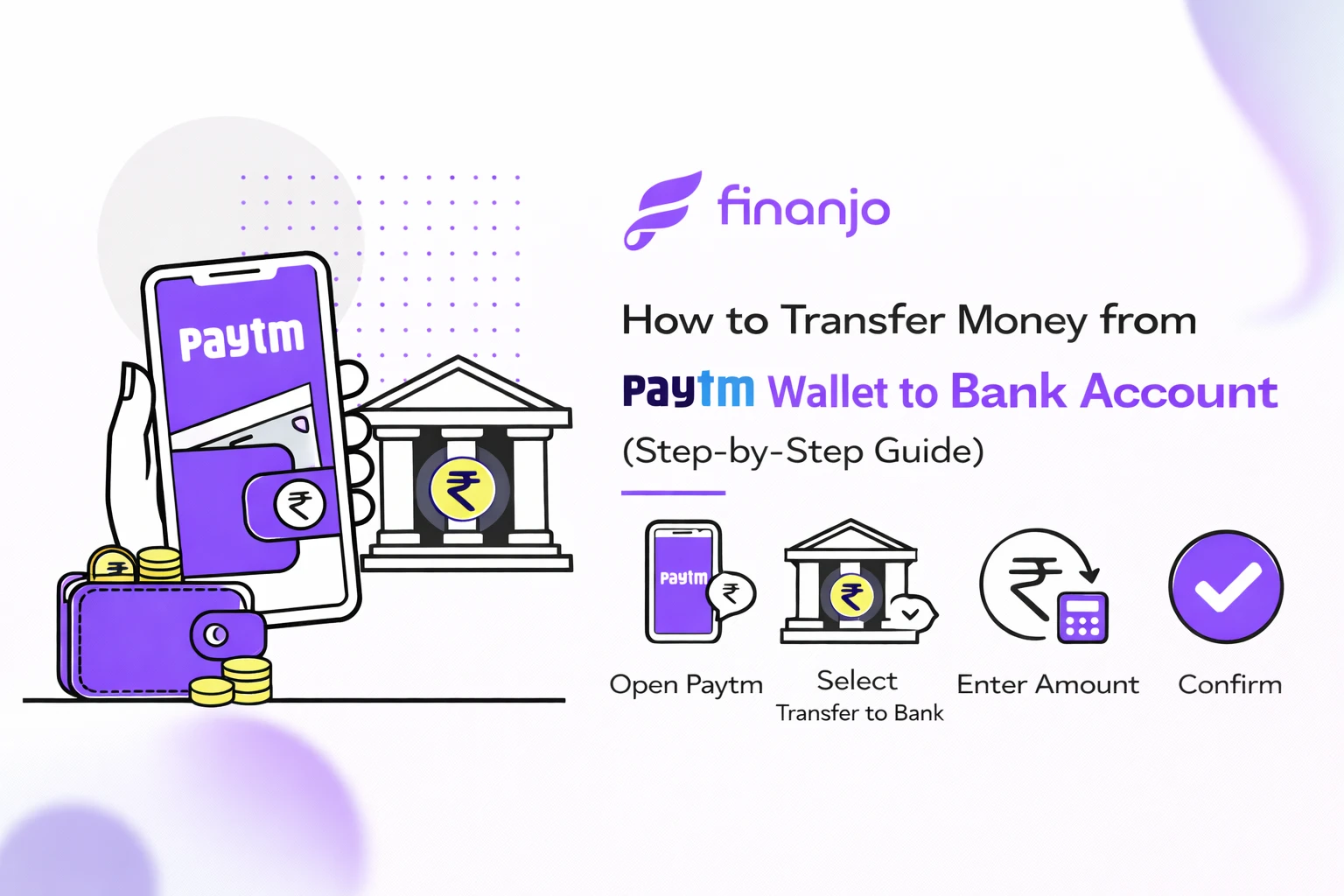
How to Transfer Money from Paytm Wallet to Bank Account is a common question for users who want to move their wallet balance into their savings account for easy use or withdrawal. Many people keep money in their Paytm Wallet for daily payments, but when you need cash in your bank, knowing the correct process becomes important.
In this blog, we explain the step-by-step method to transfer money from Paytm Wallet to a bank account, along with eligibility rules, charges, transfer limits, and the time it takes for money to get credited. Whether you are a first-time user or facing issues with wallet transfers, this guide will help you complete the process smoothly using the Paytm app.
Paytm Wallet is a digital wallet that lets users store money electronically and make quick payments online or offline. You can use Paytm Wallet to pay for mobile recharges, utility bills, online shopping, metro tickets, and scan-and-pay transactions at shops without directly using your bank account each time.
Money added to the Paytm Wallet stays inside the app and can be used instantly for payments. However, it is different from a regular bank account and comes with certain limits and conditions.
| Point | Paytm Wallet Balance | Bank Account Balance |
|---|---|---|
| Nature | Prepaid digital wallet money | Regular savings or current account money |
| Usage | Payments, recharges, online & offline spends | Withdraw cash, transfers, EMIs, investments |
| Cash Withdrawal | Not directly possible | Allowed via ATM or branch |
| Interest | No interest earned | Interest earned on savings account |
| Limits | Wallet balance limits apply | Higher limits based on bank rules |
You may need to transfer money from your Paytm Wallet to a bank account in situations like:
When you want to withdraw cash from an ATM
To pay EMIs, rent, or bills that require a bank account
If you have unused wallet balance and want to save it safely
To earn interest by keeping money in a savings account
When closing or reducing usage of your Paytm Wallet
Transferring wallet money to a bank account gives you more flexibility and control over your funds.
Yes, you can transfer money from your Paytm Wallet to a bank account, but only if certain eligibility conditions are met. Since a Paytm Wallet is a prepaid instrument, Paytm allows wallet-to-bank transfers only for users who follow RBI guidelines and complete the required verification.
Below is a clear explanation of all the eligibility conditions, requirements, and restrictions you should know before transferring money.
Completing full KYC is mandatory to transfer money from Paytm Wallet to a bank account.
You must verify your identity using Aadhaar, PAN, or other approved documents
KYC is done online or at a Paytm KYC point
Without full KYC, the wallet-to-bank transfer option will not be available
Important: Users with minimum or incomplete KYC can use the wallet for payments but cannot withdraw or transfer money to a bank account.
Your Paytm Wallet must be active and in good standing.
The wallet should not be blocked, suspended, or restricted
Your registered mobile number must be active
There should be no policy or compliance issues linked to your account
If your wallet is temporarily blocked, the transfer feature will remain disabled until the issue is resolved.
You can transfer Paytm Wallet money only to supported Indian bank accounts.
The bank account must be linked to your Paytm account
The account should support NEFT/IMPS transfers
Savings and current accounts are supported
The bank account must be in your own name (name matching may be required)
Third-party or unverified bank accounts may lead to transfer failure or rejection.
Even if you have money in your wallet, transfers may not be possible in the following cases:
KYC not completed or pending verification
Wallet balance received through promotional cashback (some cashback amounts are non-transferable)
Wallet temporarily restricted due to security or compliance checks
Incorrect or unverified bank account details
Transfer limits exceeded (daily or monthly limits)
Technical issues or scheduled maintenance on the Paytm platform
In such cases, the “Transfer to Bank” option may not appear or the transaction may fail.
Full KYC is compulsory for wallet-to-bank transfers
Only verified and supported bank accounts can receive money
Cashback and promotional wallet balances may have restrictions
Transfer availability depends on Paytm policies and RBI guidelines
If all eligibility conditions are met, transferring money from your Paytm Wallet to your bank account is simple and usually completed quickly.
Before you can transfer money from your Paytm Wallet to a bank account, you must meet a few basic but mandatory requirements. If any one of these is missing, the wallet-to-bank transfer option may not appear or the transaction may fail. Below is a complete explanation of each requirement.
Your Paytm app should be updated to the latest version available on the Play Store or App Store.
Keeping the app updated ensures smooth and secure money transfers.
Completing full KYC is compulsory to transfer money from Paytm Wallet to a bank account.
Once KYC is approved, Paytm enables wallet withdrawal and bank transfer features automatically.
You must have a linked and verified bank account in your Paytm app.
If no bank account is linked, you will not be able to move wallet money outside Paytm.
Your Paytm Wallet must have at least the minimum required balance to initiate a transfer.
Always check your available wallet balance before starting the transfer process.
Once all these requirements are fulfilled, transferring money from your Paytm Wallet to your bank account becomes quick and hassle-free.
| Step | Action |
|---|---|
| Step 1: Open the Paytm App | Open the Paytm app and log in using your registered mobile number. |
| Step 2: Go to “Balance & History” | Tap on your Paytm Wallet balance to open the wallet section and view transaction details. |
| Step 3: Select “Transfer to Bank” | Choose the option to transfer money from Paytm Wallet to a bank account. |
| Step 4: Add or Select Bank Account | Select an already linked bank account or add a new one by entering the account number and IFSC, then verify the details. |
| Step 5: Enter Amount to Transfer | Enter the amount you want to transfer and make sure it is within the minimum and maximum transfer limits. |
| Step 6: Confirm and Complete the Transfer | Enter your Paytm PIN to confirm the transaction. A confirmation message will appear once the transfer is successful. |
Understanding the charges involved in transferring money from Paytm Wallet to a bank account is important so you know exactly how much money will be credited to your bank. Below is a clear and complete explanation of fees, GST, and when transfers may be free.
No, Paytm wallet to bank transfer is usually not completely free.
Paytm generally charges a small service fee for transferring wallet money to a bank account.
However, in some cases:
Promotional offers may allow limited free transfers
Charges can vary depending on the transfer amount and user category
Fee structure may change as per Paytm’s policies
Always check the final payable amount on the confirmation screen before completing the transfer.
Paytm applies a service charge when you withdraw or transfer money from your wallet to a bank account.
Charges are calculated as a percentage of the transfer amount
The fee is deducted directly from your Paytm Wallet balance
You will see the exact charge displayed before confirming the transaction
This service charge covers processing, compliance, and banking costs involved in moving wallet funds to a bank account.
In addition to the service charge, GST may also be applied.
GST is charged as per government regulations
It is added on top of the service fee
The final deduction includes service charge + applicable GST
There are usually no hidden fees, and Paytm clearly shows the total charges during the transfer process.
Paytm wallet to bank transfer is generally chargeable
Service charges and GST are shown before confirmation
Charges may vary based on Paytm policies and offers
Cashback or promotional wallet balance may not be transferable
To avoid surprises, always review the charge breakdown shown in the Paytm app before completing your transfer.
Before transferring money, it’s important to understand the limits set on Paytm Wallet to bank account transfers. These limits depend mainly on whether your KYC is completed or not and are defined as per RBI guidelines.
Paytm requires a minimum wallet balance to initiate a bank transfer
Very small amounts may not be transferable due to service charges
The exact minimum amount is shown on the transfer screen before confirmation
If your wallet balance is below the required minimum, the transfer option may not work.
Paytm sets limits on how much money you can transfer from your wallet to a bank account.
| Limit Type | Transfer Limit |
|---|---|
| Daily Limit | Up to ₹1 lakh (for full KYC users) |
| Monthly Limit | Up to ₹10 lakh (for full KYC users) |
These limits may vary slightly based on Paytm’s internal policies and RBI updates.
| User Type | Wallet to Bank Transfer Allowed? |
|---|---|
| Full KYC Users | Yes, within daily and monthly limits |
| Non-KYC / Minimum KYC Users | No, bank transfer not allowed |
Full KYC is mandatory for wallet-to-bank transfers
Transfer limits reset daily and monthly
Exceeding limits will block further transfers temporarily
Cashback or promotional balance may not count toward transferable limits
For the most accurate limits, always check the transfer screen inside the Paytm app before confirming the transaction.
The time taken to transfer money from Paytm Wallet to a bank account can vary based on the transfer mode, bank processing time, and technical factors. Here’s a clear breakdown so users know what to expect.
In most cases, Paytm Wallet to bank transfers are instant.
Money is credited to your bank account within a few seconds to a few minutes
Common when IMPS is used and the bank servers are working normally
You’ll receive an in-app confirmation and SMS once the transfer is successful
Instant transfers are typical for small to medium amounts during normal banking hours.
Sometimes, transfers may take longer than expected.
Processing time can range from a few hours up to 24–48 working hours
Delays usually happen due to:
Bank server downtime
NEFT processing cycles
Weekends or bank holidays
High transaction volume
Even if the amount is debited from your wallet, it may show as “pending” until the bank completes processing.
If your Paytm Wallet to bank transfer is delayed or not credited, follow these steps:
Check Transaction Status
Go to Balance & History in the Paytm app and verify whether the transaction is marked as success, pending, or failed.
Wait for Processing Time
If the status is pending, wait up to 48 hours, especially if the transfer was done on a weekend or holiday.
Check Bank Statement
Sometimes the money is credited but not reflected immediately in the bank app.
Automatic Refund (If Failed)
If the transaction fails, Paytm usually refunds the amount to your wallet automatically within a few working days.
Contact Paytm Support
If the issue remains unresolved, raise a ticket through the Paytm app with transaction details.
Most Paytm wallet to bank transfers are instant
Delays can occur due to bank processing or technical issues
Failed transactions are generally auto-refunded
Always keep the transaction ID for support queries
This helps users set the right expectations and avoid unnecessary panic during wallet-to-bank transfers.
While transferring money from Paytm Wallet to a bank account is usually smooth, users may sometimes face issues due to verification, limits, or technical reasons. Below are the most common problems and why they happen.
If you don’t see the “Transfer to Bank” option in your Paytm app, it usually means:
Full KYC is not completed
Your Paytm app is not updated to the latest version
Your wallet is temporarily restricted due to compliance checks
The feature is disabled for your account due to policy limits
In most cases, completing KYC and updating the app resolves this issue.
This is the most common reason for wallet-to-bank transfer failure.
Paytm does not allow non-KYC or minimum-KYC users to transfer wallet money to a bank
Without full KYC, wallet balance can only be used for payments
Even if you have money in your wallet, withdrawal is blocked
Once full KYC is verified, the transfer option is enabled automatically.
Your bank account may fail verification due to incorrect or mismatched details.
Wrong account number or IFSC code
Name mismatch between Paytm account and bank account
Bank account inactive or blocked
Temporary bank server issues
If verification fails, Paytm will not process the transfer until correct details are added and verified.
Sometimes the transfer is initiated but doesn’t complete successfully.
Transaction Pending
Bank servers are slow or temporarily down
Transfer done during weekends or bank holidays
NEFT processing delay
Pending transactions usually clear within 24–48 working hours.
Transaction Failed
Transfer limits exceeded
Technical issues during processing
Bank rejected the transaction
In case of failure, Paytm generally refunds the amount to your wallet automatically within a few working days.
Complete full KYC before attempting transfers
Double-check bank details before confirming
Ensure sufficient transferable wallet balance
Avoid repeated transfers in a short time
Understanding these common issues helps you troubleshoot quickly and complete your Paytm Wallet to bank transfer without stress.
If you are facing problems while transferring money from your Paytm Wallet to a bank account, the issue is usually related to verification, account details, or transaction status. Here’s how you can fix the most common problems.
Full KYC is mandatory for wallet-to-bank transfers.
Check your KYC status in the Paytm app
If KYC is pending or incomplete, complete it using Aadhaar/PAN
KYC verification may take some time after submission
Once full KYC is approved, the “Transfer to Bank” option is enabled automatically.
Incorrect bank details often cause transfer failures.
Recheck account number and IFSC code
Ensure the bank account is active
Try removing and re-adding the bank account if verification fails
Make sure the bank account is in your own name
Correct and verified bank details are essential for successful transfers.
If the issue is not resolved on its own:
Open the Paytm app and go to Help & Support
Select the relevant transaction or wallet issue
Raise a support ticket with transaction ID and details
Paytm support can check backend issues and provide resolution timelines.
Always verify the transaction status before taking further action.
Go to Balance & History in the Paytm app
Check whether the transaction is marked as Success, Pending, or Failed
Pending transactions usually resolve within 24–48 working hours
Failed transactions are generally refunded to the wallet automatically
Many users confuse wallet transfers with Payments Bank transfers. Here’s a simple comparison:
Paytm Wallet:
Charges may apply for bank transfers
KYC mandatory for withdrawals
Limits on transfers
Paytm Payments Bank:
Works like a regular bank account
Free or low-cost transfers in most cases
Easier withdrawals and higher flexibility
If you frequently need to move money to your bank or withdraw cash, Paytm Payments Bank is the better option. It offers smoother transfers, fewer restrictions, and better control compared to wallet withdrawals.
To keep your money secure during transfers, follow these safety tips:
Avoid public Wi-Fi while making financial transactions
Never share your OTP or Paytm PIN with anyone
Double-check bank details before confirming the transfer
Log out of the app after completing transactions on shared devices
Following these precautions helps prevent fraud and ensures safe wallet-to-bank transfers.
No. Full KYC is mandatory to transfer money from Paytm Wallet to a bank account. Without completing KYC, you can only use the wallet for payments, not withdrawals or bank transfers.
In most cases, yes. Wallet-to-bank transfers are usually instant or completed within a few minutes. However, delays of up to 24–48 working hours may occur due to bank processing or technical issues.
Paytm requires a minimum transferable amount, which may vary based on charges and policies. The exact minimum amount is shown on the transfer screen before confirmation.
Yes. Paytm generally applies a service charge, and GST may also be added. The total charges are clearly displayed before you complete the transaction.
This usually happens due to:
Incomplete KYC
Outdated Paytm app
Wallet restrictions or compliance checks
Completing KYC and updating the app usually fixes this issue.
If the transfer fails, the amount is usually refunded automatically to your Paytm Wallet within a few working days. You can track the status in Balance & History.
Not always. Some cashback or promotional wallet balance may not be transferable and can only be used for payments within Paytm.
You can make multiple transfers, but the total amount must stay within daily and monthly transfer limits set by Paytm.
No. Once a transfer is initiated, it cannot be cancelled. If the transaction fails, the amount is refunded automatically.
Yes, it is safe if you:
Do not share OTP or PIN
Avoid public Wi-Fi
Double-check bank details before confirming
Transferring money from Paytm Wallet to a bank account is a simple process when you meet the required conditions. With full KYC completed, a linked bank account, and sufficient wallet balance, you can move your money safely using the step-by-step method explained in this guide.
While most transfers are instant, understanding charges, limits, and possible delays helps avoid confusion and failed transactions. If you frequently need to withdraw or move funds, considering alternatives like Paytm Payments Bank can offer more flexibility and fewer restrictions.
Always follow basic safety practices such as verifying bank details and protecting your PIN and OTP. By doing so, you can ensure a smooth, secure, and hassle-free Paytm Wallet to bank account transfer experience.
How to Transfer Money from Paytm Wallet to Bank Account is a common question for users who want to move their wallet balance into their savings account for easy use or withdrawal. Many people keep money in their Paytm Wallet for daily payments, but when you need cash in your bank, knowing the correct process becomes important.
In this blog, we explain the step-by-step method to transfer money from Paytm Wallet to a bank account, along with eligibility rules, charges, transfer limits, and the time it takes for money to get credited. Whether you are a first-time user or facing issues with wallet transfers, this guide will help you complete the process smoothly using the Paytm app.
Paytm Wallet is a digital wallet that lets users store money electronically and make quick payments online or offline. You can use Paytm Wallet to pay for mobile recharges, utility bills, online shopping, metro tickets, and scan-and-pay transactions at shops without directly using your bank account each time.
Money added to the Paytm Wallet stays inside the app and can be used instantly for payments. However, it is different from a regular bank account and comes with certain limits and conditions.
| Point | Paytm Wallet Balance | Bank Account Balance |
|---|---|---|
| Nature | Prepaid digital wallet money | Regular savings or current account money |
| Usage | Payments, recharges, online & offline spends | Withdraw cash, transfers, EMIs, investments |
| Cash Withdrawal | Not directly possible | Allowed via ATM or branch |
| Interest | No interest earned | Interest earned on savings account |
| Limits | Wallet balance limits apply | Higher limits based on bank rules |
You may need to transfer money from your Paytm Wallet to a bank account in situations like:
When you want to withdraw cash from an ATM
To pay EMIs, rent, or bills that require a bank account
If you have unused wallet balance and want to save it safely
To earn interest by keeping money in a savings account
When closing or reducing usage of your Paytm Wallet
Transferring wallet money to a bank account gives you more flexibility and control over your funds.
Yes, you can transfer money from your Paytm Wallet to a bank account, but only if certain eligibility conditions are met. Since a Paytm Wallet is a prepaid instrument, Paytm allows wallet-to-bank transfers only for users who follow RBI guidelines and complete the required verification.
Below is a clear explanation of all the eligibility conditions, requirements, and restrictions you should know before transferring money.
Completing full KYC is mandatory to transfer money from Paytm Wallet to a bank account.
You must verify your identity using Aadhaar, PAN, or other approved documents
KYC is done online or at a Paytm KYC point
Without full KYC, the wallet-to-bank transfer option will not be available
Important: Users with minimum or incomplete KYC can use the wallet for payments but cannot withdraw or transfer money to a bank account.
Your Paytm Wallet must be active and in good standing.
The wallet should not be blocked, suspended, or restricted
Your registered mobile number must be active
There should be no policy or compliance issues linked to your account
If your wallet is temporarily blocked, the transfer feature will remain disabled until the issue is resolved.
You can transfer Paytm Wallet money only to supported Indian bank accounts.
The bank account must be linked to your Paytm account
The account should support NEFT/IMPS transfers
Savings and current accounts are supported
The bank account must be in your own name (name matching may be required)
Third-party or unverified bank accounts may lead to transfer failure or rejection.
Even if you have money in your wallet, transfers may not be possible in the following cases:
KYC not completed or pending verification
Wallet balance received through promotional cashback (some cashback amounts are non-transferable)
Wallet temporarily restricted due to security or compliance checks
Incorrect or unverified bank account details
Transfer limits exceeded (daily or monthly limits)
Technical issues or scheduled maintenance on the Paytm platform
In such cases, the “Transfer to Bank” option may not appear or the transaction may fail.
Full KYC is compulsory for wallet-to-bank transfers
Only verified and supported bank accounts can receive money
Cashback and promotional wallet balances may have restrictions
Transfer availability depends on Paytm policies and RBI guidelines
If all eligibility conditions are met, transferring money from your Paytm Wallet to your bank account is simple and usually completed quickly.
Before you can transfer money from your Paytm Wallet to a bank account, you must meet a few basic but mandatory requirements. If any one of these is missing, the wallet-to-bank transfer option may not appear or the transaction may fail. Below is a complete explanation of each requirement.
Your Paytm app should be updated to the latest version available on the Play Store or App Store.
Keeping the app updated ensures smooth and secure money transfers.
Completing full KYC is compulsory to transfer money from Paytm Wallet to a bank account.
Once KYC is approved, Paytm enables wallet withdrawal and bank transfer features automatically.
You must have a linked and verified bank account in your Paytm app.
If no bank account is linked, you will not be able to move wallet money outside Paytm.
Your Paytm Wallet must have at least the minimum required balance to initiate a transfer.
Always check your available wallet balance before starting the transfer process.
Once all these requirements are fulfilled, transferring money from your Paytm Wallet to your bank account becomes quick and hassle-free.
| Step | Action |
|---|---|
| Step 1: Open the Paytm App | Open the Paytm app and log in using your registered mobile number. |
| Step 2: Go to “Balance & History” | Tap on your Paytm Wallet balance to open the wallet section and view transaction details. |
| Step 3: Select “Transfer to Bank” | Choose the option to transfer money from Paytm Wallet to a bank account. |
| Step 4: Add or Select Bank Account | Select an already linked bank account or add a new one by entering the account number and IFSC, then verify the details. |
| Step 5: Enter Amount to Transfer | Enter the amount you want to transfer and make sure it is within the minimum and maximum transfer limits. |
| Step 6: Confirm and Complete the Transfer | Enter your Paytm PIN to confirm the transaction. A confirmation message will appear once the transfer is successful. |
Understanding the charges involved in transferring money from Paytm Wallet to a bank account is important so you know exactly how much money will be credited to your bank. Below is a clear and complete explanation of fees, GST, and when transfers may be free.
No, Paytm wallet to bank transfer is usually not completely free.
Paytm generally charges a small service fee for transferring wallet money to a bank account.
However, in some cases:
Promotional offers may allow limited free transfers
Charges can vary depending on the transfer amount and user category
Fee structure may change as per Paytm’s policies
Always check the final payable amount on the confirmation screen before completing the transfer.
Paytm applies a service charge when you withdraw or transfer money from your wallet to a bank account.
Charges are calculated as a percentage of the transfer amount
The fee is deducted directly from your Paytm Wallet balance
You will see the exact charge displayed before confirming the transaction
This service charge covers processing, compliance, and banking costs involved in moving wallet funds to a bank account.
In addition to the service charge, GST may also be applied.
GST is charged as per government regulations
It is added on top of the service fee
The final deduction includes service charge + applicable GST
There are usually no hidden fees, and Paytm clearly shows the total charges during the transfer process.
Paytm wallet to bank transfer is generally chargeable
Service charges and GST are shown before confirmation
Charges may vary based on Paytm policies and offers
Cashback or promotional wallet balance may not be transferable
To avoid surprises, always review the charge breakdown shown in the Paytm app before completing your transfer.
Before transferring money, it’s important to understand the limits set on Paytm Wallet to bank account transfers. These limits depend mainly on whether your KYC is completed or not and are defined as per RBI guidelines.
Paytm requires a minimum wallet balance to initiate a bank transfer
Very small amounts may not be transferable due to service charges
The exact minimum amount is shown on the transfer screen before confirmation
If your wallet balance is below the required minimum, the transfer option may not work.
Paytm sets limits on how much money you can transfer from your wallet to a bank account.
| Limit Type | Transfer Limit |
|---|---|
| Daily Limit | Up to ₹1 lakh (for full KYC users) |
| Monthly Limit | Up to ₹10 lakh (for full KYC users) |
These limits may vary slightly based on Paytm’s internal policies and RBI updates.
| User Type | Wallet to Bank Transfer Allowed? |
|---|---|
| Full KYC Users | Yes, within daily and monthly limits |
| Non-KYC / Minimum KYC Users | No, bank transfer not allowed |
Full KYC is mandatory for wallet-to-bank transfers
Transfer limits reset daily and monthly
Exceeding limits will block further transfers temporarily
Cashback or promotional balance may not count toward transferable limits
For the most accurate limits, always check the transfer screen inside the Paytm app before confirming the transaction.
The time taken to transfer money from Paytm Wallet to a bank account can vary based on the transfer mode, bank processing time, and technical factors. Here’s a clear breakdown so users know what to expect.
In most cases, Paytm Wallet to bank transfers are instant.
Money is credited to your bank account within a few seconds to a few minutes
Common when IMPS is used and the bank servers are working normally
You’ll receive an in-app confirmation and SMS once the transfer is successful
Instant transfers are typical for small to medium amounts during normal banking hours.
Sometimes, transfers may take longer than expected.
Processing time can range from a few hours up to 24–48 working hours
Delays usually happen due to:
Bank server downtime
NEFT processing cycles
Weekends or bank holidays
High transaction volume
Even if the amount is debited from your wallet, it may show as “pending” until the bank completes processing.
If your Paytm Wallet to bank transfer is delayed or not credited, follow these steps:
Check Transaction Status
Go to Balance & History in the Paytm app and verify whether the transaction is marked as success, pending, or failed.
Wait for Processing Time
If the status is pending, wait up to 48 hours, especially if the transfer was done on a weekend or holiday.
Check Bank Statement
Sometimes the money is credited but not reflected immediately in the bank app.
Automatic Refund (If Failed)
If the transaction fails, Paytm usually refunds the amount to your wallet automatically within a few working days.
Contact Paytm Support
If the issue remains unresolved, raise a ticket through the Paytm app with transaction details.
Most Paytm wallet to bank transfers are instant
Delays can occur due to bank processing or technical issues
Failed transactions are generally auto-refunded
Always keep the transaction ID for support queries
This helps users set the right expectations and avoid unnecessary panic during wallet-to-bank transfers.
While transferring money from Paytm Wallet to a bank account is usually smooth, users may sometimes face issues due to verification, limits, or technical reasons. Below are the most common problems and why they happen.
If you don’t see the “Transfer to Bank” option in your Paytm app, it usually means:
Full KYC is not completed
Your Paytm app is not updated to the latest version
Your wallet is temporarily restricted due to compliance checks
The feature is disabled for your account due to policy limits
In most cases, completing KYC and updating the app resolves this issue.
This is the most common reason for wallet-to-bank transfer failure.
Paytm does not allow non-KYC or minimum-KYC users to transfer wallet money to a bank
Without full KYC, wallet balance can only be used for payments
Even if you have money in your wallet, withdrawal is blocked
Once full KYC is verified, the transfer option is enabled automatically.
Your bank account may fail verification due to incorrect or mismatched details.
Wrong account number or IFSC code
Name mismatch between Paytm account and bank account
Bank account inactive or blocked
Temporary bank server issues
If verification fails, Paytm will not process the transfer until correct details are added and verified.
Sometimes the transfer is initiated but doesn’t complete successfully.
Transaction Pending
Bank servers are slow or temporarily down
Transfer done during weekends or bank holidays
NEFT processing delay
Pending transactions usually clear within 24–48 working hours.
Transaction Failed
Transfer limits exceeded
Technical issues during processing
Bank rejected the transaction
In case of failure, Paytm generally refunds the amount to your wallet automatically within a few working days.
Complete full KYC before attempting transfers
Double-check bank details before confirming
Ensure sufficient transferable wallet balance
Avoid repeated transfers in a short time
Understanding these common issues helps you troubleshoot quickly and complete your Paytm Wallet to bank transfer without stress.
If you are facing problems while transferring money from your Paytm Wallet to a bank account, the issue is usually related to verification, account details, or transaction status. Here’s how you can fix the most common problems.
Full KYC is mandatory for wallet-to-bank transfers.
Check your KYC status in the Paytm app
If KYC is pending or incomplete, complete it using Aadhaar/PAN
KYC verification may take some time after submission
Once full KYC is approved, the “Transfer to Bank” option is enabled automatically.
Incorrect bank details often cause transfer failures.
Recheck account number and IFSC code
Ensure the bank account is active
Try removing and re-adding the bank account if verification fails
Make sure the bank account is in your own name
Correct and verified bank details are essential for successful transfers.
If the issue is not resolved on its own:
Open the Paytm app and go to Help & Support
Select the relevant transaction or wallet issue
Raise a support ticket with transaction ID and details
Paytm support can check backend issues and provide resolution timelines.
Always verify the transaction status before taking further action.
Go to Balance & History in the Paytm app
Check whether the transaction is marked as Success, Pending, or Failed
Pending transactions usually resolve within 24–48 working hours
Failed transactions are generally refunded to the wallet automatically
Many users confuse wallet transfers with Payments Bank transfers. Here’s a simple comparison:
Paytm Wallet:
Charges may apply for bank transfers
KYC mandatory for withdrawals
Limits on transfers
Paytm Payments Bank:
Works like a regular bank account
Free or low-cost transfers in most cases
Easier withdrawals and higher flexibility
If you frequently need to move money to your bank or withdraw cash, Paytm Payments Bank is the better option. It offers smoother transfers, fewer restrictions, and better control compared to wallet withdrawals.
To keep your money secure during transfers, follow these safety tips:
Avoid public Wi-Fi while making financial transactions
Never share your OTP or Paytm PIN with anyone
Double-check bank details before confirming the transfer
Log out of the app after completing transactions on shared devices
Following these precautions helps prevent fraud and ensures safe wallet-to-bank transfers.
No. Full KYC is mandatory to transfer money from Paytm Wallet to a bank account. Without completing KYC, you can only use the wallet for payments, not withdrawals or bank transfers.
In most cases, yes. Wallet-to-bank transfers are usually instant or completed within a few minutes. However, delays of up to 24–48 working hours may occur due to bank processing or technical issues.
Paytm requires a minimum transferable amount, which may vary based on charges and policies. The exact minimum amount is shown on the transfer screen before confirmation.
Yes. Paytm generally applies a service charge, and GST may also be added. The total charges are clearly displayed before you complete the transaction.
This usually happens due to:
Incomplete KYC
Outdated Paytm app
Wallet restrictions or compliance checks
Completing KYC and updating the app usually fixes this issue.
If the transfer fails, the amount is usually refunded automatically to your Paytm Wallet within a few working days. You can track the status in Balance & History.
Not always. Some cashback or promotional wallet balance may not be transferable and can only be used for payments within Paytm.
You can make multiple transfers, but the total amount must stay within daily and monthly transfer limits set by Paytm.
No. Once a transfer is initiated, it cannot be cancelled. If the transaction fails, the amount is refunded automatically.
Yes, it is safe if you:
Do not share OTP or PIN
Avoid public Wi-Fi
Double-check bank details before confirming
Transferring money from Paytm Wallet to a bank account is a simple process when you meet the required conditions. With full KYC completed, a linked bank account, and sufficient wallet balance, you can move your money safely using the step-by-step method explained in this guide.
While most transfers are instant, understanding charges, limits, and possible delays helps avoid confusion and failed transactions. If you frequently need to withdraw or move funds, considering alternatives like Paytm Payments Bank can offer more flexibility and fewer restrictions.
Always follow basic safety practices such as verifying bank details and protecting your PIN and OTP. By doing so, you can ensure a smooth, secure, and hassle-free Paytm Wallet to bank account transfer experience.
I’m a contributor at Finanjo, where I write about personal finance, banking, and everyday money topics in a clear and practical way. I simplify complex finance jargon into easy explanations and real-life insights, covering everything from bank accounts and deposits to government schemes and smart money decisions so readers can understand finance without the confusion.
I’m a contributor at Finanjo, where I write about personal finance, banking, and everyday money topics in a clear and practical way. I simplify complex finance jargon into easy explanations and real-life insights, covering everything from bank accounts and deposits to government schemes and smart money decisions so readers can understand finance without the confusion.

