PhonePe is one of India’s biggest and most popular digital payments and financial service providers. The platform supports UPI and debit/credit cards, assisting its users to make online payments with just a few clicks. Besides just money transfers, you can also make payments for mobile recharges and utility bills and buy gold using this platform and How to Transfer Money from PhonePe Wallet to Bank Account is a common query for users who receive cashback, refunds, or unused balance in their PhonePe wallet and want to move it to their savings account safely.
This blog will help you understand when wallet-to-bank transfer is possible and how to complete it smoothly without errors.
The PhonePe Wallet is a prepaid digital wallet that stores money within the PhonePe app. This balance usually comes from refunds, cashback, gift cards, or wallet top-ups. Unlike UPI payments, wallet money does not sit directly in your bank account—it is stored separately inside PhonePe and can be used for eligible payments or transferred to a bank account (subject to KYC rules).
| Basis | PhonePe Wallet Balance | Bank-Linked UPI Balance |
|---|---|---|
| Meaning |
Money stored inside the PhonePe Wallet, separate from your bank account |
Money directly available in your linked bank account |
| Source of Money | Refunds, cashback, promotions, wallet top-ups | Salary, deposits, transfers received via UPI/NEFT/IMPS |
| Where Money Is Stored | Inside PhonePe’s wallet system | Inside your bank account |
| KYC Requirement | Full KYC usually required to transfer to bank | No separate KYC (bank KYC already done) |
| Transfer to Bank | Possible only if withdrawal option is enabled | Already in bank, no transfer needed |
| Usage | Bill payments, recharges, merchant payments | UPI payments, ATM withdrawal, online & offline spending |
| Transaction Limits | Wallet-specific limits apply | As per bank & UPI limits |
| Interest | No interest earned | May earn interest (savings account) |
| Safety & Control | Controlled by PhonePe wallet rules | Fully controlled by your bank |
PhonePe wallet money is kept separate from your bank account because it works under RBI’s prepaid payment instrument (PPI) guidelines. Wallets are not bank accounts they act as intermediaries for digital payments.
This separation helps in:
Better regulatory control
Enhanced security of user funds
Clear distinction between prepaid balance and bank deposits
That’s why completing full KYC is mandatory if you want to transfer wallet money to your bank account.
Yes, you can transfer money from your PhonePe wallet to your bank account but only under specific conditions. This feature is not available to every user by default and depends mainly on your KYC status and regulatory guidelines.
Money transfer from PhonePe Wallet to a bank account is allowed only when all of the following conditions are met:
Full KYC Completed
Aadhaar-based KYC must be completed and approved
Non-KYC or minimum-KYC users cannot withdraw wallet balance
Eligible Wallet Balance
The amount must be available as wallet balance, not UPI-linked bank money
Some promotional or restricted cashback may not be transferable
Linked and Active Bank Account
A valid Indian bank account must be linked to PhonePe
The bank account should be active and able to receive credits
Withdraw Option Enabled
The “Withdraw to Bank” or “Transfer to Bank” option must be visible in the wallet section
This option appears only for eligible users
Within Prescribed Limits
Transfers must be within daily, monthly, and per-transaction limits set by PhonePe and RBI
The ability to transfer money from PhonePe wallet to a bank account is governed by guidelines issued by the Reserve Bank of India (RBI) for Prepaid Payment Instruments (PPIs) such as mobile wallets.
Key RBI rules include:
KYC Is Mandatory
RBI allows wallet-to-bank transfers only for full KYC wallets to prevent fraud and money laundering.
Restricted Usage for Non-KYC Wallets
Non-KYC or minimum-KYC wallets can be used only for:
Payments
Recharges
Merchant transactions
They cannot withdraw money to a bank account.
Transfer Limits Apply
RBI sets caps on:
Maximum wallet balance
Monthly usage limits
Withdrawal thresholds
Traceability & Compliance
Wallet withdrawals are allowed only when the user’s identity and bank details are verified, ensuring compliance with financial regulations.
You can transfer money from PhonePe wallet to your bank account only if your wallet is fully KYC verified and eligible under RBI rules. If the withdraw option is not visible, completing KYC is the first and most important step.
To successfully transfer money from your PhonePe Wallet to a bank account, you must meet certain eligibility conditions. These requirements are set to comply with RBI regulations and to ensure secure transactions.
Here’s a detailed explanation of each requirement:
Completing Full KYC (Know Your Customer) is the most important requirement for transferring money from PhonePe Wallet to a bank account.
PhonePe Wallets without full KYC usually allow only limited usage, such as payments and small balances.
Full KYC verifies your identity using official documents like Aadhaar, PAN (in some cases), and biometric or OTP verification.
Once KYC is completed, PhonePe allows wallet withdrawal or transfer features as per RBI guidelines.
Why it matters:
Without full KYC, PhonePe restricts wallet-to-bank transfers to prevent misuse and comply with financial regulations.
You must have an active bank account linked to your PhonePe app.
The bank account should be correctly linked using the same mobile number registered with the bank.
The account must be operational (not dormant or blocked).
Only linked bank accounts will appear as options when transferring money from the wallet.
Why it matters:
PhonePe can transfer wallet money only to verified and linked bank accounts to ensure funds reach the correct user.
Your PhonePe Wallet must have a sufficient available balance to initiate the transfer.
The transfer amount cannot exceed the wallet balance.
Some wallet balances like promotional credits or restricted cashback may not be transferable.
Minimum transfer limits (if any) must also be met.
Why it matters:
If your wallet balance is zero or below the minimum required amount, the transfer option will either fail or not be available.
In some cases, especially during KYC or bank verification, your Indian mobile number should be linked to Aadhaar.
This is mainly required for Aadhaar-based OTP verification.
The mobile number used in PhonePe should match the one linked with your Aadhaar and bank account.
This requirement may vary based on bank policies and the type of KYC process used.
Why it matters:
Linking your mobile number to Aadhaar helps in smooth identity verification and reduces transaction failures.
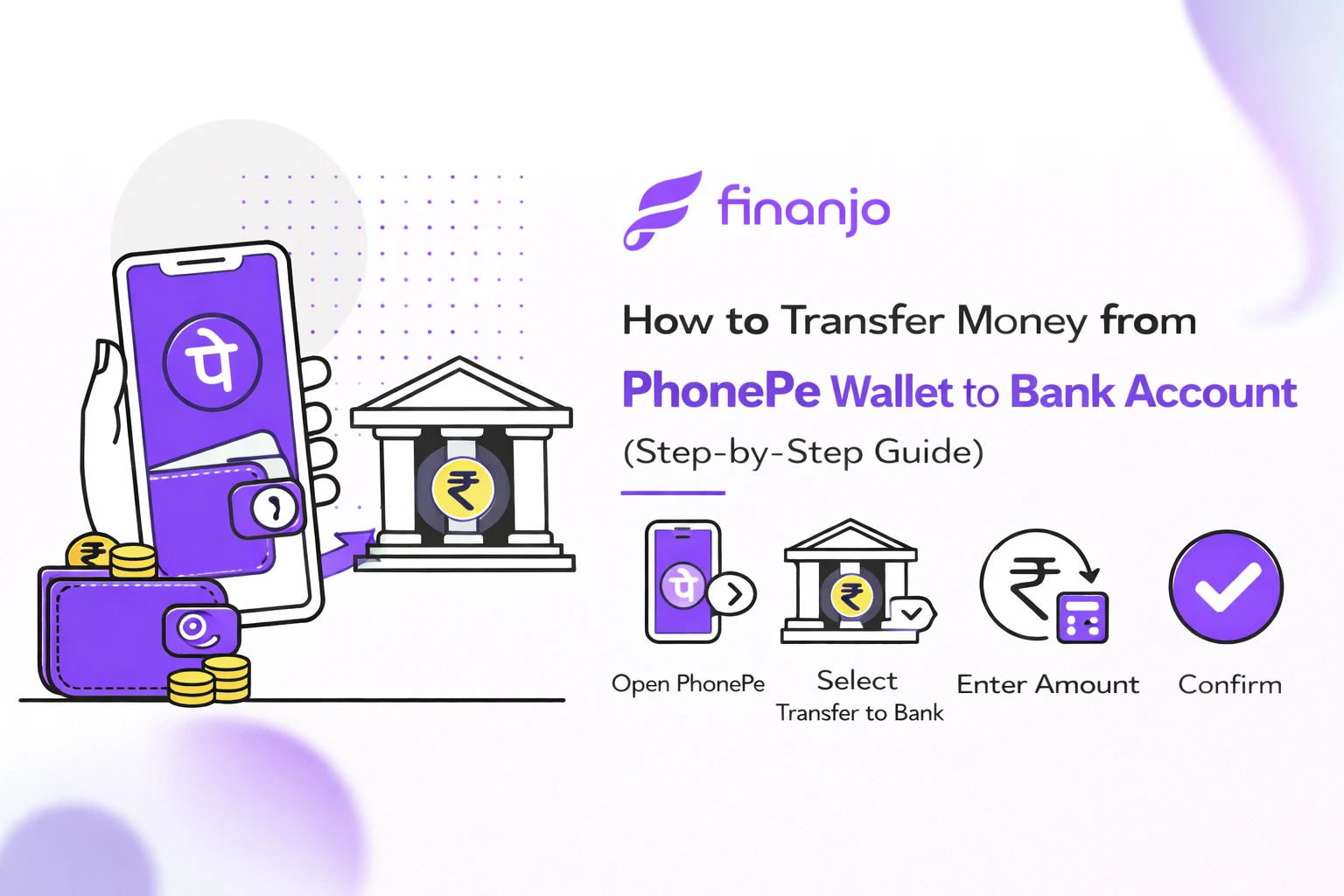
| Step | Action | Details |
|---|---|---|
| Step 1 |
Open the PhonePe App |
Login using your registered mobile number. |
| Step 2 | Go to Wallet Section | Tap on “PhonePe Wallet” from the home screen. |
| Step 3 | Check Wallet Balance | Ensure you have sufficient balance for transfer. |
| Step 4 | Select Withdraw / Transfer to Bank | Option appears based on your KYC status. |
| Step 5 | Choose Linked Bank Account | Select the bank where the money will be credited. |
| Step 6 | Enter Transfer Amount | Enter the amount within minimum and maximum limits. |
| Step 7 | Confirm with PIN / OTP | Complete security verification to proceed. |
| Step 8 | Transfer Successful | You’ll see a confirmation message with transaction ID. |
PhonePe wallet to bank transfer charges depend mainly on your wallet type, KYC status, and the nature of the transaction. Below is a clear and detailed explanation without icons.
In most cases, transferring money from PhonePe Wallet to a bank account is free for users who have completed Full KYC. PhonePe does not usually charge any fee for standard wallet withdrawals to a linked bank account.
However, charges may apply in specific situations such as:
Transfers beyond free usage limits (if applicable)
Certain merchant-related wallet balances
Policy changes introduced by PhonePe or RBI guidelines
For regular personal use with a fully verified wallet, users generally do not pay any transfer fee.
Currently, PhonePe does not levy GST or separate service fees on wallet-to-bank transfers for individual users. Since the transfer is treated as a wallet withdrawal rather than a commercial service, GST is not applicable in most cases.
That said:
If PhonePe introduces a service fee in the future, GST would be added as per government rules.
Any applicable charges are clearly shown on the confirmation screen before you complete the transfer.
Always check the final payable amount before confirming the transaction.
Banks do not usually charge any fee for receiving money from a PhonePe wallet into a savings account. Wallet-to-bank transfers are treated as normal credits, not cash deposits or IMPS transfers initiated by the user.
However, in rare cases:
Some banks may apply internal charges based on account type.
Business or current accounts may have different fee structures.
Charges may apply if the account has special restrictions.
To be sure, users can check their bank’s official charges or account terms.
Charges, if any, are displayed before confirming the transfer.
Completing Full KYC helps avoid most limitations and fees.
PhonePe policies can change, so checking the latest terms in the app is recommended.
PhonePe wallet to bank transfer time depends on the transaction status, bank processing speed, and system conditions. In most cases, transfers are quick, but delays can sometimes happen. Here’s a clear explanation.
For most users, transferring money from a PhonePe Wallet to a linked bank account is instant or near-instant. Once you confirm the transfer, the amount is usually credited within a few seconds.
However, delays may occur due to:
Bank server issues or maintenance
High transaction volume during peak hours
Incorrect or temporarily inactive bank accounts
Pending verification or technical glitches
In such cases, the transfer may show as “processing” or “pending.”
Instant credit: Within a few seconds to 1 minute
Normal cases: Within a few minutes
Delayed cases: Up to 24 hours
Rare exceptions: Up to 2–3 working days (mostly during technical outages)
Most wallet-to-bank transfers are completed the same day.
If the amount is deducted from your wallet but not credited to your bank account:
Check transaction status in PhonePe’s transaction history.
Wait for 24 hours, as delayed credits often resolve automatically.
Do not retry the transfer immediately to avoid duplicate deductions.
Contact PhonePe support through the app if the status remains pending or failed.
Refund scenarios: If the transfer fails, the amount is usually reversed to your wallet within a few working days.
PhonePe wallet to bank transfers are generally fast and reliable. Delays are uncommon and usually temporary. Keeping your KYC complete and bank account active helps ensure instant transfers.
While transferring money from a PhonePe Wallet to a bank account is usually smooth, users may sometimes face issues. Below are the most common problems and their practical solutions.
Problem:
The option to withdraw or transfer money to a bank account is not visible in the wallet section.
Solution:
Ensure your PhonePe wallet is eligible for bank transfer
Complete Full KYC, as this option is hidden for non-KYC users
Update the PhonePe app to the latest version
Log out and log in again to refresh the app
Problem:
Wallet transfers are blocked or limited due to incomplete verification.
Solution:
Complete Full KYC using Aadhaar and PAN
Follow in-app instructions for verification
Wait for approval, which may take some time
Once approved, wallet transfer limits increase automatically
Problem:
You cannot select a bank account during the transfer process.
Solution:
Link a valid and active bank account in the PhonePe app
Ensure the mobile number linked to the bank matches your PhonePe number
Set or verify your UPI PIN if required
Re-add the bank account if it was removed earlier
Problem:
The amount is deducted from the wallet, but the bank account is not credited.
Solution:
Check transaction status in PhonePe history
Wait up to 24 hours, as most failures are auto-reversed
Avoid retrying the same transfer immediately
If not resolved, contact PhonePe customer support through the app
In most cases, the deducted amount is refunded to the wallet automatically.
Problem:
The transaction shows “pending” for a long time.
Solution:
Allow up to 24–48 hours for processing
Check if your bank is facing downtime or maintenance
Ensure stable internet connectivity during the transaction
If the status does not change, raise a support ticket in the app
Most wallet transfer issues occur due to incomplete KYC or temporary technical issues. Keeping your app updated and KYC completed helps avoid most problems.
Understanding the difference between PhonePe Wallet and UPI balance helps you choose the right option when making payments or transferring money. Although both are used inside PhonePe, they work differently.
PhonePe Wallet
Stores prepaid money loaded into the wallet
Used for recharges, bill payments, and select merchant payments
Requires KYC for higher limits and bank transfers
Wallet balance is separate from your bank account
UPI Balance
Directly linked to your bank account
No need to preload money
Uses UPI PIN for every transaction
Follows bank and NPCI transfer limits
UPI balance is easier to transfer because it moves money directly from one bank account to another.
UPI transfers are usually instant and have higher limits.
PhonePe wallet transfers may have restrictions based on KYC and wallet eligibility.
For regular money transfers, UPI is the simpler and faster option.
PhonePe wallet transfer is required when:
You receive cashback, refunds, or promotional credits in your wallet
The amount is stored only in the wallet and not in your bank account
A merchant refund is credited to the wallet instead of UPI
You want to move unused wallet balance back to your bank account
Use UPI balance for day-to-day transfers and payments. Use PhonePe Wallet transfer only when your money is stuck in the wallet and needs to be moved to your bank account.
Following basic safety practices while transferring money from a PhonePe Wallet to your bank account helps protect you from fraud and unauthorized transactions.
PhonePe never asks for your OTP or UPI PIN over calls, messages, or emails.
Do not share verification details with anyone, even if they claim to be customer support.
Enter OTP or PIN only inside the official PhonePe app.
Always confirm the selected bank account before completing the transfer.
Check the account name and last digits to avoid sending money to the wrong bank.
If multiple bank accounts are linked, choose carefully.
Do not perform wallet or bank transfers using public Wi-Fi networks.
Public networks increase the risk of data interception and fraud.
Use a secure mobile network or trusted private Wi-Fi connection.
Download and update PhonePe only from trusted app stores.
Avoid third-party apps, links, or modified versions claiming extra features.
Keep the app updated to get the latest security patches and protections.
Staying alert and following these safety tips significantly reduces the risk of fraud during wallet-to-bank transfers.
1: All payments made through PhonePe Wallet/eGV for mobile/ DTH recharge, bill pay, or any other payment processed by You on the PhonePe Platform or Merchant partners accepting PhonePe Wallet (including eGVs) as a payment option shall be final, and PhonePe shall not be responsible for any error or omission by You or Merchant partners. Bill Pay and Recharge transactions cannot be refunded, returned, or cancelled once initiated.
2: If You erroneously processed a payment to an unintended Merchant or processed a payment for the wrong amount (for instance, a typographical error at Your end), Your only recourse will be to contact the Merchant directly to whom You have made the payment and ask them to refund the amount. PhonePe shall not be liable to handle such disputes, nor can we reimburse you or reverse a payment that you have erroneously made.
3: In case we receive a refund for a transaction that you have processed earlier, we will refund the funds back to the source, including PhonePe Wallet/eGV, unless specified or directed by you otherwise.
4: In case of any cancellations where payments were made using any wallet loaded through a cashback offer, any refund of such amount shall continue to remain as a wallet and is non-withdrawable to your bank account. This can continue to be used on the PhonePe Platform for eligible transactions.
5: Further, in case of cancellation of a transaction, the refunded amount, less cashback (credited in the form of eGV), will be credited back to the source of funds used while making payment.
PhonePe is one of India’s biggest and most popular digital payments and financial service providers. The platform supports UPI and debit/credit cards, assisting its users to make online payments with just a few clicks. Besides just money transfers, you can also make payments for mobile recharges and utility bills and buy gold using this platform and How to Transfer Money from PhonePe Wallet to Bank Account is a common query for users who receive cashback, refunds, or unused balance in their PhonePe wallet and want to move it to their savings account safely.
This blog will help you understand when wallet-to-bank transfer is possible and how to complete it smoothly without errors.
The PhonePe Wallet is a prepaid digital wallet that stores money within the PhonePe app. This balance usually comes from refunds, cashback, gift cards, or wallet top-ups. Unlike UPI payments, wallet money does not sit directly in your bank account—it is stored separately inside PhonePe and can be used for eligible payments or transferred to a bank account (subject to KYC rules).
| Basis | PhonePe Wallet Balance | Bank-Linked UPI Balance |
|---|---|---|
| Meaning |
Money stored inside the PhonePe Wallet, separate from your bank account |
Money directly available in your linked bank account |
| Source of Money | Refunds, cashback, promotions, wallet top-ups | Salary, deposits, transfers received via UPI/NEFT/IMPS |
| Where Money Is Stored | Inside PhonePe’s wallet system | Inside your bank account |
| KYC Requirement | Full KYC usually required to transfer to bank | No separate KYC (bank KYC already done) |
| Transfer to Bank | Possible only if withdrawal option is enabled | Already in bank, no transfer needed |
| Usage | Bill payments, recharges, merchant payments | UPI payments, ATM withdrawal, online & offline spending |
| Transaction Limits | Wallet-specific limits apply | As per bank & UPI limits |
| Interest | No interest earned | May earn interest (savings account) |
| Safety & Control | Controlled by PhonePe wallet rules | Fully controlled by your bank |
PhonePe wallet money is kept separate from your bank account because it works under RBI’s prepaid payment instrument (PPI) guidelines. Wallets are not bank accounts they act as intermediaries for digital payments.
This separation helps in:
Better regulatory control
Enhanced security of user funds
Clear distinction between prepaid balance and bank deposits
That’s why completing full KYC is mandatory if you want to transfer wallet money to your bank account.
Yes, you can transfer money from your PhonePe wallet to your bank account but only under specific conditions. This feature is not available to every user by default and depends mainly on your KYC status and regulatory guidelines.
Money transfer from PhonePe Wallet to a bank account is allowed only when all of the following conditions are met:
Full KYC Completed
Aadhaar-based KYC must be completed and approved
Non-KYC or minimum-KYC users cannot withdraw wallet balance
Eligible Wallet Balance
The amount must be available as wallet balance, not UPI-linked bank money
Some promotional or restricted cashback may not be transferable
Linked and Active Bank Account
A valid Indian bank account must be linked to PhonePe
The bank account should be active and able to receive credits
Withdraw Option Enabled
The “Withdraw to Bank” or “Transfer to Bank” option must be visible in the wallet section
This option appears only for eligible users
Within Prescribed Limits
Transfers must be within daily, monthly, and per-transaction limits set by PhonePe and RBI
The ability to transfer money from PhonePe wallet to a bank account is governed by guidelines issued by the Reserve Bank of India (RBI) for Prepaid Payment Instruments (PPIs) such as mobile wallets.
Key RBI rules include:
KYC Is Mandatory
RBI allows wallet-to-bank transfers only for full KYC wallets to prevent fraud and money laundering.
Restricted Usage for Non-KYC Wallets
Non-KYC or minimum-KYC wallets can be used only for:
Payments
Recharges
Merchant transactions
They cannot withdraw money to a bank account.
Transfer Limits Apply
RBI sets caps on:
Maximum wallet balance
Monthly usage limits
Withdrawal thresholds
Traceability & Compliance
Wallet withdrawals are allowed only when the user’s identity and bank details are verified, ensuring compliance with financial regulations.
You can transfer money from PhonePe wallet to your bank account only if your wallet is fully KYC verified and eligible under RBI rules. If the withdraw option is not visible, completing KYC is the first and most important step.
To successfully transfer money from your PhonePe Wallet to a bank account, you must meet certain eligibility conditions. These requirements are set to comply with RBI regulations and to ensure secure transactions.
Here’s a detailed explanation of each requirement:
Completing Full KYC (Know Your Customer) is the most important requirement for transferring money from PhonePe Wallet to a bank account.
PhonePe Wallets without full KYC usually allow only limited usage, such as payments and small balances.
Full KYC verifies your identity using official documents like Aadhaar, PAN (in some cases), and biometric or OTP verification.
Once KYC is completed, PhonePe allows wallet withdrawal or transfer features as per RBI guidelines.
Why it matters:
Without full KYC, PhonePe restricts wallet-to-bank transfers to prevent misuse and comply with financial regulations.
You must have an active bank account linked to your PhonePe app.
The bank account should be correctly linked using the same mobile number registered with the bank.
The account must be operational (not dormant or blocked).
Only linked bank accounts will appear as options when transferring money from the wallet.
Why it matters:
PhonePe can transfer wallet money only to verified and linked bank accounts to ensure funds reach the correct user.
Your PhonePe Wallet must have a sufficient available balance to initiate the transfer.
The transfer amount cannot exceed the wallet balance.
Some wallet balances like promotional credits or restricted cashback may not be transferable.
Minimum transfer limits (if any) must also be met.
Why it matters:
If your wallet balance is zero or below the minimum required amount, the transfer option will either fail or not be available.
In some cases, especially during KYC or bank verification, your Indian mobile number should be linked to Aadhaar.
This is mainly required for Aadhaar-based OTP verification.
The mobile number used in PhonePe should match the one linked with your Aadhaar and bank account.
This requirement may vary based on bank policies and the type of KYC process used.
Why it matters:
Linking your mobile number to Aadhaar helps in smooth identity verification and reduces transaction failures.
| Step | Action | Details |
|---|---|---|
| Step 1 |
Open the PhonePe App |
Login using your registered mobile number. |
| Step 2 | Go to Wallet Section | Tap on “PhonePe Wallet” from the home screen. |
| Step 3 | Check Wallet Balance | Ensure you have sufficient balance for transfer. |
| Step 4 | Select Withdraw / Transfer to Bank | Option appears based on your KYC status. |
| Step 5 | Choose Linked Bank Account | Select the bank where the money will be credited. |
| Step 6 | Enter Transfer Amount | Enter the amount within minimum and maximum limits. |
| Step 7 | Confirm with PIN / OTP | Complete security verification to proceed. |
| Step 8 | Transfer Successful | You’ll see a confirmation message with transaction ID. |
PhonePe wallet to bank transfer charges depend mainly on your wallet type, KYC status, and the nature of the transaction. Below is a clear and detailed explanation without icons.
In most cases, transferring money from PhonePe Wallet to a bank account is free for users who have completed Full KYC. PhonePe does not usually charge any fee for standard wallet withdrawals to a linked bank account.
However, charges may apply in specific situations such as:
Transfers beyond free usage limits (if applicable)
Certain merchant-related wallet balances
Policy changes introduced by PhonePe or RBI guidelines
For regular personal use with a fully verified wallet, users generally do not pay any transfer fee.
Currently, PhonePe does not levy GST or separate service fees on wallet-to-bank transfers for individual users. Since the transfer is treated as a wallet withdrawal rather than a commercial service, GST is not applicable in most cases.
That said:
If PhonePe introduces a service fee in the future, GST would be added as per government rules.
Any applicable charges are clearly shown on the confirmation screen before you complete the transfer.
Always check the final payable amount before confirming the transaction.
Banks do not usually charge any fee for receiving money from a PhonePe wallet into a savings account. Wallet-to-bank transfers are treated as normal credits, not cash deposits or IMPS transfers initiated by the user.
However, in rare cases:
Some banks may apply internal charges based on account type.
Business or current accounts may have different fee structures.
Charges may apply if the account has special restrictions.
To be sure, users can check their bank’s official charges or account terms.
Charges, if any, are displayed before confirming the transfer.
Completing Full KYC helps avoid most limitations and fees.
PhonePe policies can change, so checking the latest terms in the app is recommended.
PhonePe wallet to bank transfer time depends on the transaction status, bank processing speed, and system conditions. In most cases, transfers are quick, but delays can sometimes happen. Here’s a clear explanation.
For most users, transferring money from a PhonePe Wallet to a linked bank account is instant or near-instant. Once you confirm the transfer, the amount is usually credited within a few seconds.
However, delays may occur due to:
Bank server issues or maintenance
High transaction volume during peak hours
Incorrect or temporarily inactive bank accounts
Pending verification or technical glitches
In such cases, the transfer may show as “processing” or “pending.”
Instant credit: Within a few seconds to 1 minute
Normal cases: Within a few minutes
Delayed cases: Up to 24 hours
Rare exceptions: Up to 2–3 working days (mostly during technical outages)
Most wallet-to-bank transfers are completed the same day.
If the amount is deducted from your wallet but not credited to your bank account:
Check transaction status in PhonePe’s transaction history.
Wait for 24 hours, as delayed credits often resolve automatically.
Do not retry the transfer immediately to avoid duplicate deductions.
Contact PhonePe support through the app if the status remains pending or failed.
Refund scenarios: If the transfer fails, the amount is usually reversed to your wallet within a few working days.
PhonePe wallet to bank transfers are generally fast and reliable. Delays are uncommon and usually temporary. Keeping your KYC complete and bank account active helps ensure instant transfers.
While transferring money from a PhonePe Wallet to a bank account is usually smooth, users may sometimes face issues. Below are the most common problems and their practical solutions.
Problem:
The option to withdraw or transfer money to a bank account is not visible in the wallet section.
Solution:
Ensure your PhonePe wallet is eligible for bank transfer
Complete Full KYC, as this option is hidden for non-KYC users
Update the PhonePe app to the latest version
Log out and log in again to refresh the app
Problem:
Wallet transfers are blocked or limited due to incomplete verification.
Solution:
Complete Full KYC using Aadhaar and PAN
Follow in-app instructions for verification
Wait for approval, which may take some time
Once approved, wallet transfer limits increase automatically
Problem:
You cannot select a bank account during the transfer process.
Solution:
Link a valid and active bank account in the PhonePe app
Ensure the mobile number linked to the bank matches your PhonePe number
Set or verify your UPI PIN if required
Re-add the bank account if it was removed earlier
Problem:
The amount is deducted from the wallet, but the bank account is not credited.
Solution:
Check transaction status in PhonePe history
Wait up to 24 hours, as most failures are auto-reversed
Avoid retrying the same transfer immediately
If not resolved, contact PhonePe customer support through the app
In most cases, the deducted amount is refunded to the wallet automatically.
Problem:
The transaction shows “pending” for a long time.
Solution:
Allow up to 24–48 hours for processing
Check if your bank is facing downtime or maintenance
Ensure stable internet connectivity during the transaction
If the status does not change, raise a support ticket in the app
Most wallet transfer issues occur due to incomplete KYC or temporary technical issues. Keeping your app updated and KYC completed helps avoid most problems.
Understanding the difference between PhonePe Wallet and UPI balance helps you choose the right option when making payments or transferring money. Although both are used inside PhonePe, they work differently.
PhonePe Wallet
Stores prepaid money loaded into the wallet
Used for recharges, bill payments, and select merchant payments
Requires KYC for higher limits and bank transfers
Wallet balance is separate from your bank account
UPI Balance
Directly linked to your bank account
No need to preload money
Uses UPI PIN for every transaction
Follows bank and NPCI transfer limits
UPI balance is easier to transfer because it moves money directly from one bank account to another.
UPI transfers are usually instant and have higher limits.
PhonePe wallet transfers may have restrictions based on KYC and wallet eligibility.
For regular money transfers, UPI is the simpler and faster option.
PhonePe wallet transfer is required when:
You receive cashback, refunds, or promotional credits in your wallet
The amount is stored only in the wallet and not in your bank account
A merchant refund is credited to the wallet instead of UPI
You want to move unused wallet balance back to your bank account
Use UPI balance for day-to-day transfers and payments. Use PhonePe Wallet transfer only when your money is stuck in the wallet and needs to be moved to your bank account.
Following basic safety practices while transferring money from a PhonePe Wallet to your bank account helps protect you from fraud and unauthorized transactions.
PhonePe never asks for your OTP or UPI PIN over calls, messages, or emails.
Do not share verification details with anyone, even if they claim to be customer support.
Enter OTP or PIN only inside the official PhonePe app.
Always confirm the selected bank account before completing the transfer.
Check the account name and last digits to avoid sending money to the wrong bank.
If multiple bank accounts are linked, choose carefully.
Do not perform wallet or bank transfers using public Wi-Fi networks.
Public networks increase the risk of data interception and fraud.
Use a secure mobile network or trusted private Wi-Fi connection.
Download and update PhonePe only from trusted app stores.
Avoid third-party apps, links, or modified versions claiming extra features.
Keep the app updated to get the latest security patches and protections.
Staying alert and following these safety tips significantly reduces the risk of fraud during wallet-to-bank transfers.
1: All payments made through PhonePe Wallet/eGV for mobile/ DTH recharge, bill pay, or any other payment processed by You on the PhonePe Platform or Merchant partners accepting PhonePe Wallet (including eGVs) as a payment option shall be final, and PhonePe shall not be responsible for any error or omission by You or Merchant partners. Bill Pay and Recharge transactions cannot be refunded, returned, or cancelled once initiated.
2: If You erroneously processed a payment to an unintended Merchant or processed a payment for the wrong amount (for instance, a typographical error at Your end), Your only recourse will be to contact the Merchant directly to whom You have made the payment and ask them to refund the amount. PhonePe shall not be liable to handle such disputes, nor can we reimburse you or reverse a payment that you have erroneously made.
3: In case we receive a refund for a transaction that you have processed earlier, we will refund the funds back to the source, including PhonePe Wallet/eGV, unless specified or directed by you otherwise.
4: In case of any cancellations where payments were made using any wallet loaded through a cashback offer, any refund of such amount shall continue to remain as a wallet and is non-withdrawable to your bank account. This can continue to be used on the PhonePe Platform for eligible transactions.
5: Further, in case of cancellation of a transaction, the refunded amount, less cashback (credited in the form of eGV), will be credited back to the source of funds used while making payment.
I’m a contributor at Finanjo, where I write about personal finance, banking, and everyday money topics in a clear and practical way. I simplify complex finance jargon into easy explanations and real-life insights, covering everything from bank accounts and deposits to government schemes and smart money decisions so readers can understand finance without the confusion.
I’m a contributor at Finanjo, where I write about personal finance, banking, and everyday money topics in a clear and practical way. I simplify complex finance jargon into easy explanations and real-life insights, covering everything from bank accounts and deposits to government schemes and smart money decisions so readers can understand finance without the confusion.

